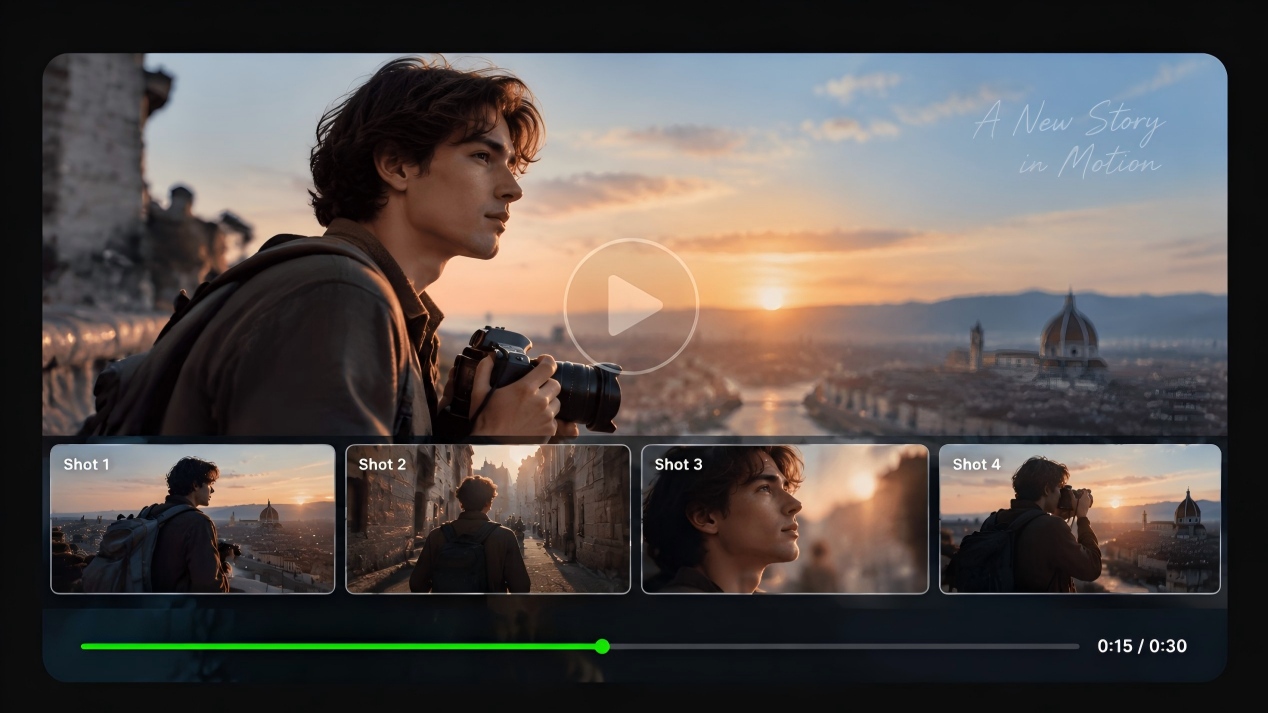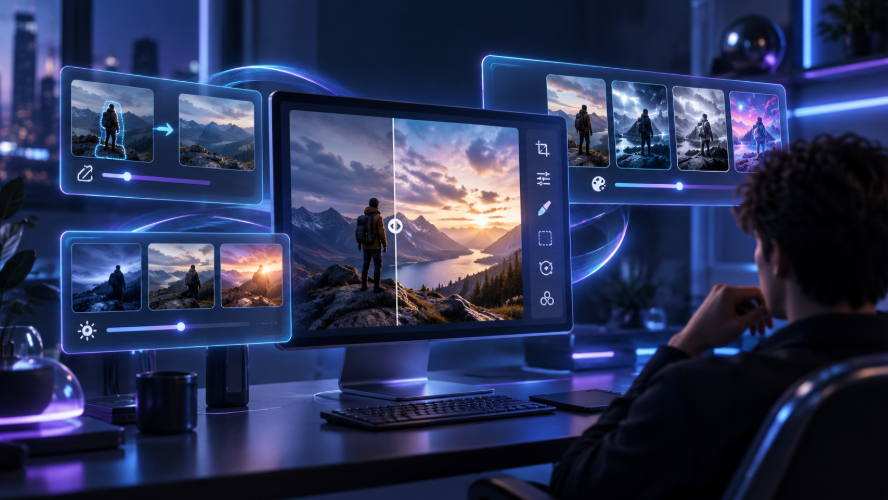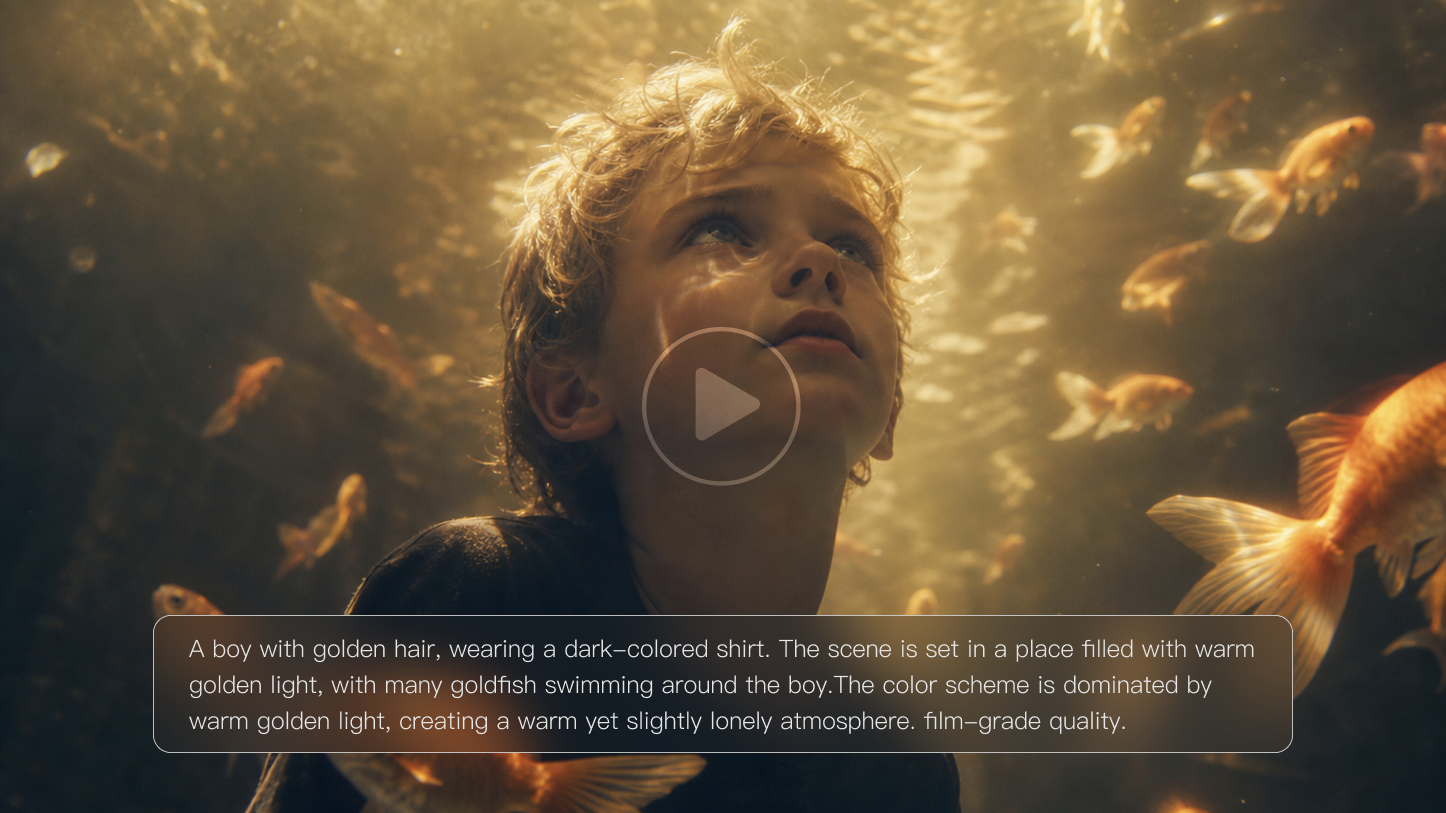
Ever spent hours planning a story and its shots, only to see a character’s face change between scenes or a key action disappear? AI video can bring your ideas to life, but repeated fixes can eat up the time you hoped to save. We’ll break down six limitations of current AI video generation technology, practical workarounds, and where Kling VIDEO 3.0 series can help.
.png?x-oss-process=image/resize,w_1872)
What Are the Limitations of Current AI Video Generation Technology?
AI video can now handle more complex scenes, but consistency, motion, text, and precise control can still break down during generation. From maintaining visual consistency across frames to controlling motion and details, these limitations continue to shape how creators use AI in video production.
The table below shows where current AI video generation still falls short, how those issues show up in real projects, and what you can do to work around them.
Limitation | Technical Challenge | What Happens | Quick Workaround |
Limited Temporal Consistency and Frame Coherence | The model has to preserve lighting, layout, textures, and other visual information across consecutive frames while subjects and cameras are moving. | Lighting may shift, background objects can drift, small props may disappear, and textures or body outlines can flicker during a shot. | Keep each shot centered on one main action. For more complex scenes, use shorter clips and a reference image to hold the setting and composition in place. |
Character and Object Consistency Across Shots | Separately generated shots have to recreate the same subject identity, appearance, and design details each time. | Faces, hairstyles, clothing, accessories, product shapes, colors, or surface details may change from one shot to the next. | Reuse the same reference images and keep defining details consistent. Avoid changing the lighting, camera angle, styling, and environment all at once. |
Unrealistic Physics and Motion | The model has to keep body mechanics, object contact, spatial relationships, and material behavior believable over time. | Hands may pass through objects, movement can feel weightless, collisions may look wrong, and fabric, water, hair, or fast camera moves can behave unnaturally. | Break complicated actions into separate beats. Describe subject movement and camera movement separately instead of packing both into one instruction. |
Limited Long Form Video Generation | A longer sequence has to preserve characters, locations, props, visual style, timing, and story logic across many shots. | Characters or locations may drift, props can disappear, continuity breaks become more noticeable, and scenes may feel disconnected as the video gets longer. | Work from a storyboard or shot list, reuse visual references, and generate the project scene by scene. Handle pacing, transitions, and final sequencing in the edit. |
Difficulty with Fine Details and Text Generation | Small shapes, typography, logos, and product details require exact spatial consistency from frame to frame. | Fingers can warp, text may be misspelled or distorted, logos can shift, and small product features may change during motion. | Add text, logos, captions, and other fixed brand elements in post. For product shots, use a clear reference and keep the framing relatively simple. |
Limited Prompt Control and Customization | Prompt-based control is indirect, so changing one instruction can also affect other parts of the generated shot. | The model may follow some directions closely while changing the framing, background, timing, or subject appearance in ways you did not ask for. | Set the subject and overall look first, then refine movement, framing, and timing in smaller steps. Generate a few short variations instead of putting every requirement into one long prompt. |
How Kling AI Video Generator Helps Address These Limitations
Kling AI Video Generator brings more creative and production control into AI video generation, making it easier to develop connected shots, recurring subjects, dialogue, and more complex visual storytelling. Across VIDEO 3.0 and VIDEO 3.0 Omni, creators can work with reference-based subject consistency, Multi-Shot and Custom Multi-Shot, Motion Control, flexible 3–15 second generation, Native-Level Text Output, and Native Audio to support professional cinematic video creation.
Keep Characters and Products Consistent Across Shots
When the same person, product, or important prop appears across several shots, keeping its defining features recognizable can be difficult if every shot is generated from a new description. The Kling VIDEO 3.0 Series provides reference-based workflows that give the model more visual information about recurring subjects and help reduce unwanted changes between shots.
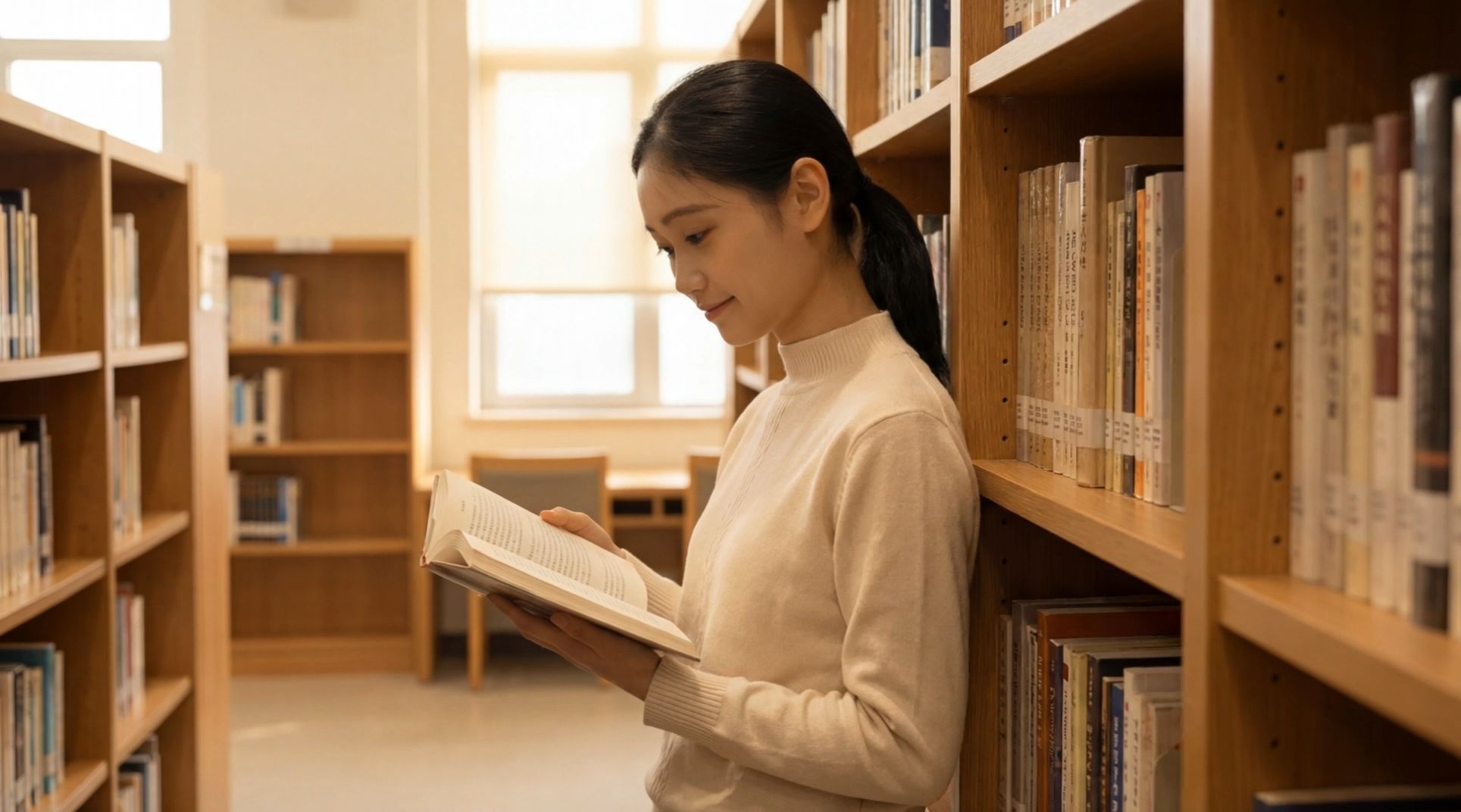
With Kling VIDEO 3.0, you can use multiple reference images to provide different views of the same character, product, or object. For a character, front, side, and other useful angles can give the model more information about facial structure, hairstyle, clothing, and recognizable features. For products or important props, additional views can capture details that a single front image may miss, such as shape, proportions, materials, side details, or surface features.
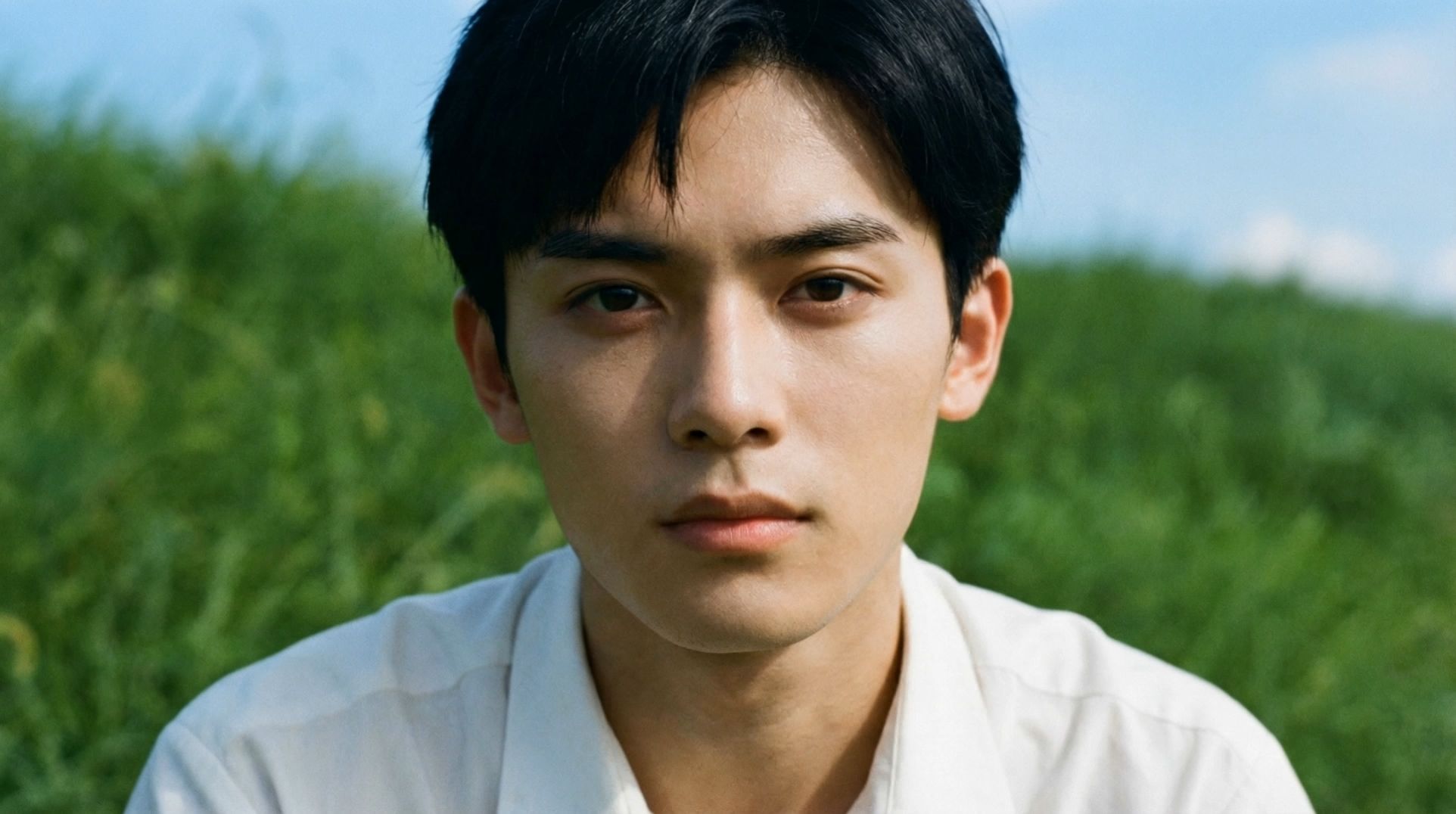
For projects that need a reusable subject across different shots and scenes, Kling VIDEO 3.0 Omni provides an Element Reference workflow. You can build an Element from multi-angle images or a short character video, then reference that Element again as the scene, camera angle, or surrounding content changes. Character Elements can also include voice information, helping a recurring character maintain both recognizable visual traits and a consistent voice across related scene
In both workflows, stronger reference information can reduce reruns caused by a face changing, an accessory disappearing, or a product drifting away from its intended design.
Kling VIDEO 3.0 Usage Examples
Start Frame | ||
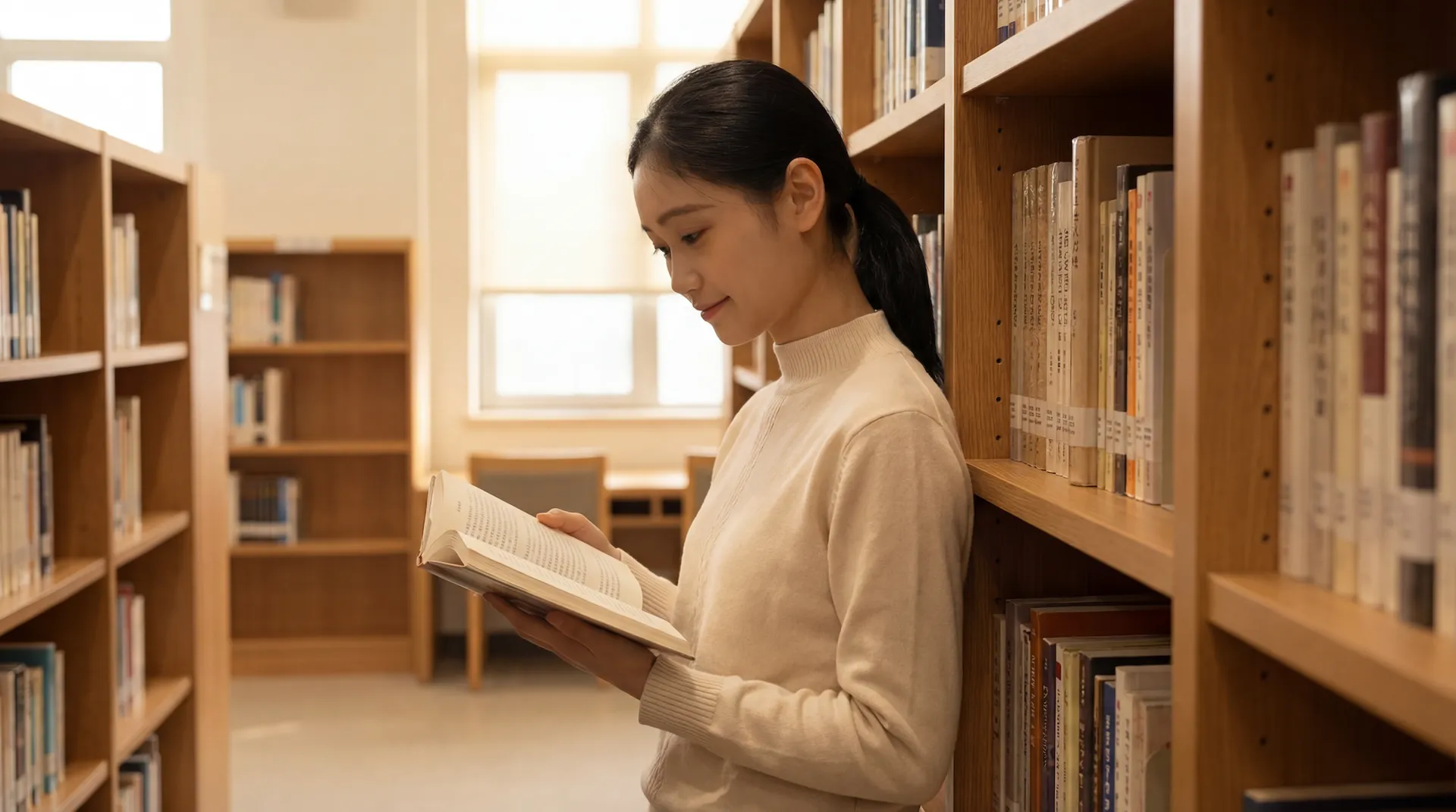 | ||
Image Reference | ||
.webp?x-oss-process=image/resize,w_1872) | .webp?x-oss-process=image/resize,w_1872) | .webp?x-oss-process=image/resize,w_1872) |
| Prompt: The camera gradually moves around to the front of the girl, who then lifts her head and smiles warmly at the camera, as if seeing an old friend after many years. | ||
Video | ||
  | ||
Kling VIDEO 3.0 Omni Usage Examples
Element/Reference Image | |
@Shirt Boy | @Image1 |
 | .webp?x-oss-process=image/resize,w_1872) |
Mid-shot, front view Prompt: @Shirt Boy walks down the slope and sits by the pole in @image. Close-up, face: @Shirt Boy leans against the pole and says, “Today's wind feels softer than yesterday… even the grass feels gentle.” Cinematic look @image1. Side close-up, face: @Shirt Boy closes his eyes as sunlight softly falls on his face. Top-down shot: @Shirt Boy lies back, grass covering his shirt, arms behind his head, gazing at the blue sky, saying, “I hope this kind of summer never ends.”
| |
Video | |
 | |
Direct Complex Character Motion More Precisely
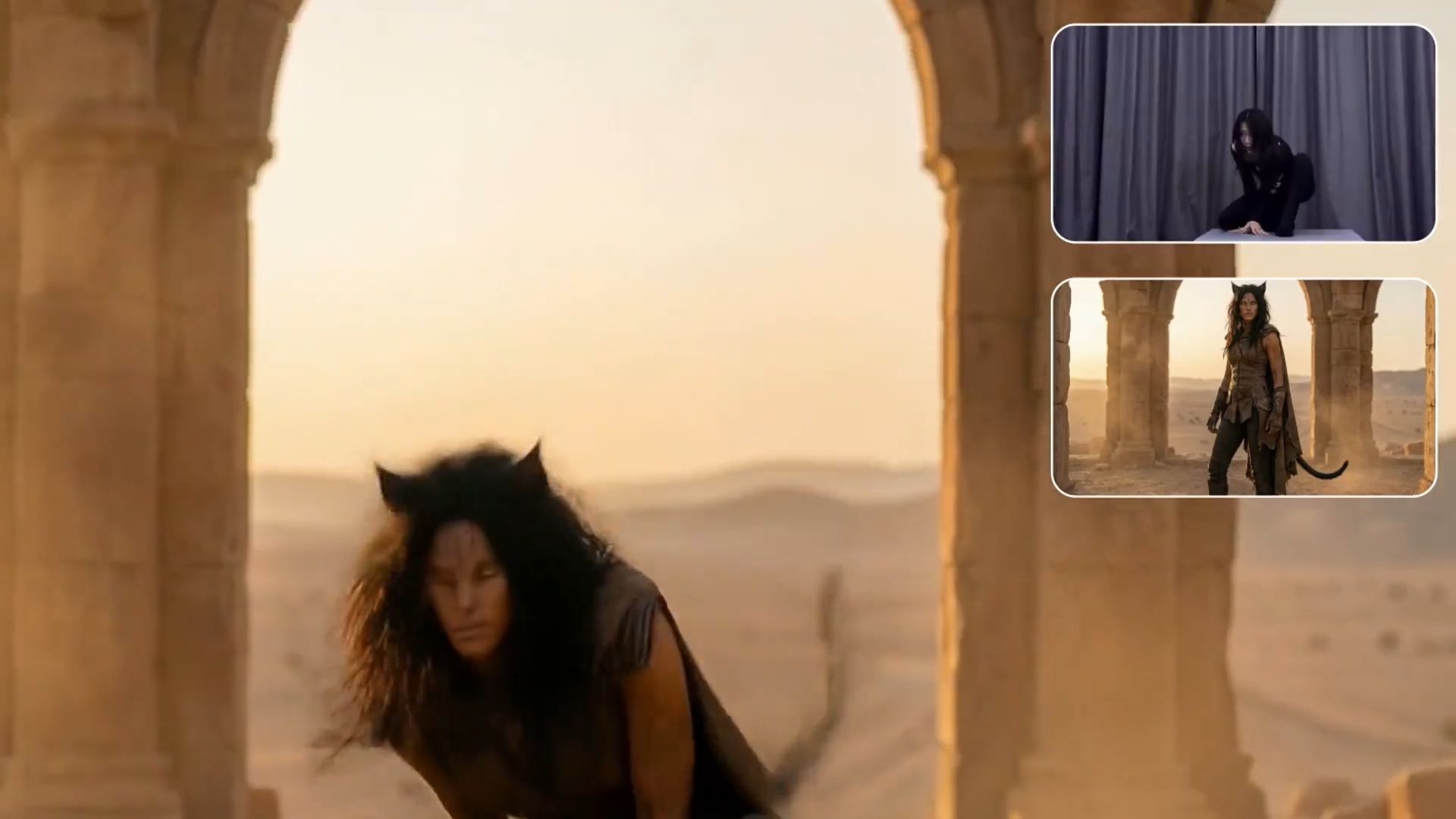
For everyday actions, you can describe what the character should do in the prompt, including pacing, body movement, and changes in expression. Kling’s AI video generator can turn those directions into motion, but text becomes less precise when a shot calls for a particular turn, gesture, dance move, or sequence of expressions.
For that level of detail, Motion Control works from a movement reference instead. Upload a motion video or choose an action from the motion library, then apply its movement and expressions to your character. Kling VIDEO 3.0 Motion Control also improves facial consistency across complex, multi-angle, and longer-duration movements. Starting from the motion you want is often easier than rewriting a prompt several times to get a specific performance right.
Build and Direct Connected Shots
A scene rarely works from a single camera angle. You may start with a wide shot, cut in closer, then switch to a reaction. With Multi-Shot, the Kling VIDEO 3.0 Series can plan framing and camera changes across the same sequence.
If you already know how the scene should be broken up, Custom Multi-Shot lets you set the content and length of each shot yourself. That makes it easier to shape the pacing without cramming every instruction into one long prompt or stitching together a batch of unrelated clips later.
Reference Image | |||
.png?x-oss-process=image/resize,w_1872) | |||
Character Reference | |||
.png?x-oss-process=image/resize,w_1872) | .png?x-oss-process=image/resize,w_1872) | .png?x-oss-process=image/resize,w_1872) | .png?x-oss-process=image/resize,w_1872) |
Prompt | |||
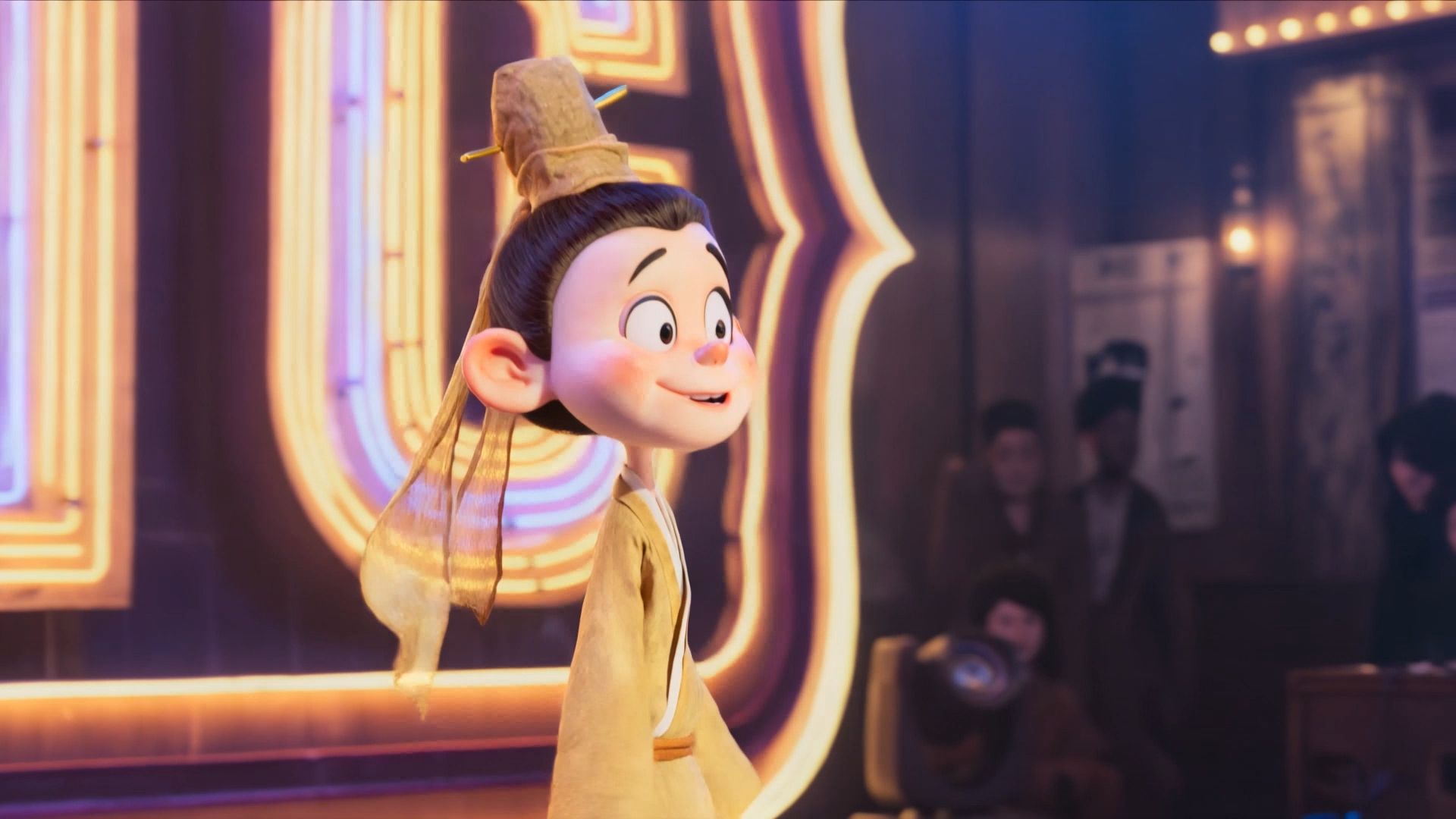
| Shot 1 (3s): Close-up on the comedy open-mic stage (see reference image), with a large retro neon "KLING" sign in the background. Warm golden backlight outlines the scene. The camera follows the performer as they walk to the microphone and make a slight height adjustment. | |||
| Shot 2 (4s): Medium close-up of @Little Scholar, who says, "I actually lost to Kid—how much work experience does he even have?—who was teaching everyone how to be happy at work." | |||
| Shot 3 (4s): @Little Scholar, wearing a restrained, subtle smile, pauses naturally and says, "Just listen to this: he spent five minutes arguing for such a bogus premise." | |||
| Shot 4 (2s): Cut to the audience laughing loudly. | |||
Video | |||
 | |||
Give Short Stories More Room to Develop
Kling VIDEO 3.0 Series can generate clips from 3 to 15 seconds, giving a short scene more time for a character to enter, speak, react, or move through several story beats without being split into a series of tiny clips. Paired with Multi-Shot, that extra time works well for short ads, dialogue scenes, and character-driven moments where the rhythm of the scene matters just as much as the visuals.
Keep On-Screen Text and Brand Copy More Usable
Text can fall apart quickly once a scene starts moving. Labels may distort, letters can drop out, and signs or logos can shift from one frame to the next.
With Native-Level Text Output, VIDEO 3.0 Series does a better job of keeping signs, captions, labels, and other text readable as the shot changes. For ads and product videos, that means fewer usable shots lost to warped copy or unreadable branding. Exact logos and locked brand assets are still safer to add in post when precision matters.
Image |
.png?x-oss-process=image/resize,w_1872) |
Video |
 |
Bring Dialogue and Sound Into the Same Workflow
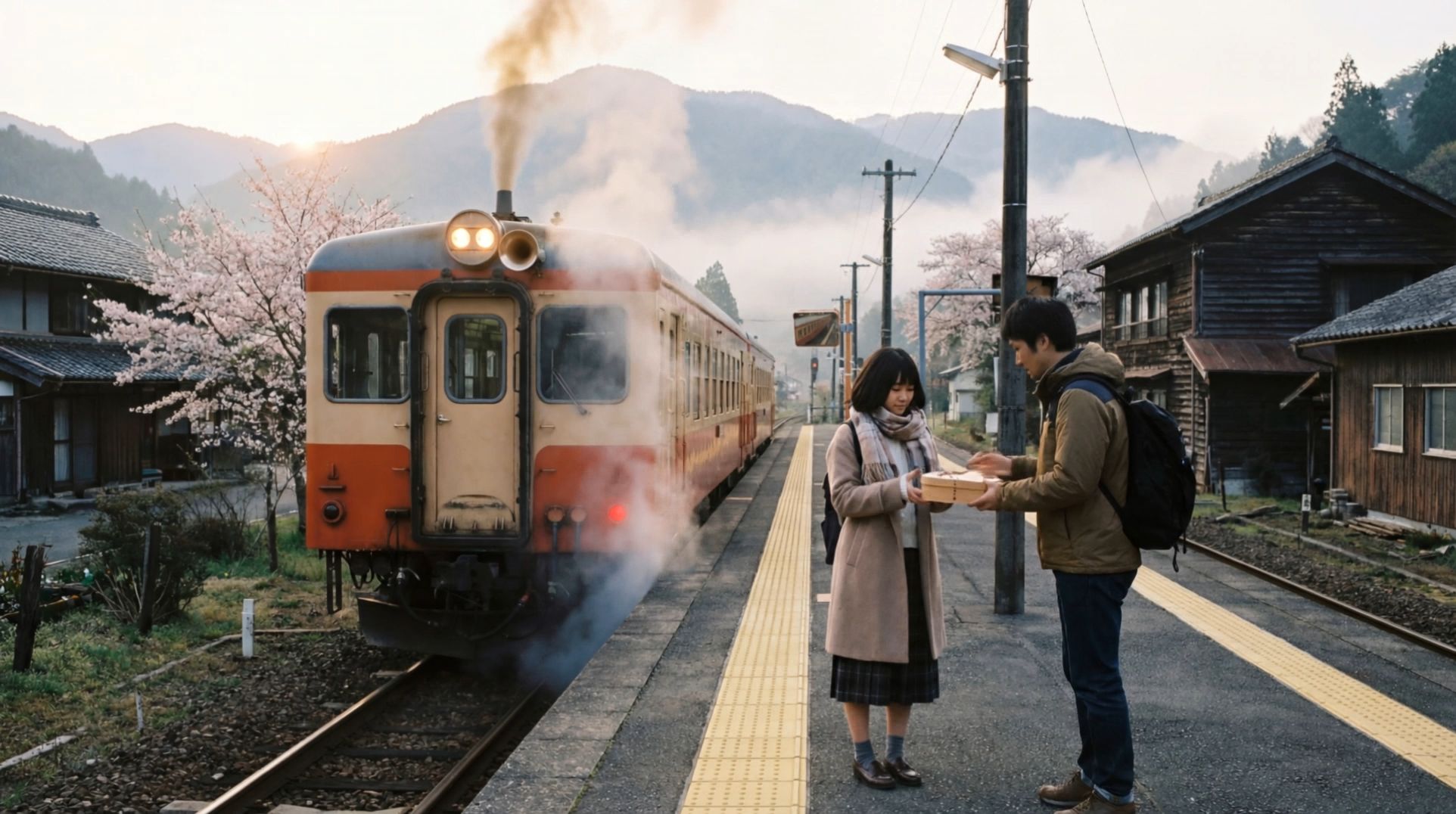
With Native Audio, VIDEO 3.0 Series can generate the scene and dialogue together, including multi-character conversations in Chinese, English, Japanese, Korean, and Spanish. Instead of creating a silent clip first and handling voices, timing, and lip sync afterward, you can plan who speaks, what they say, and how the shot plays out from the start. This is especially useful for dialogue-driven shorts and multi-character scenes, where speech and character performance need to stay in sync.
Image |
.png?x-oss-process=image/resize,w_1872) |
Prompt: On a small station shrouded in morning mist, the boy smiled and handed over the bento: 「急いで作ったけど、大丈夫? お母さんのレシピだよ。」 The girl took it with a smile: 「うん、きっと美味しい! 到着したら LINE するね。」 |
Video |
 |
The End
Whether you’re making a product ad, a dialogue-driven short, or a multi-shot story, the limitations of current AI video generation technology often show up in familiar ways: a character changes between shots, motion feels off, text breaks apart, or a scene takes several tries to get right. Clear references, shorter shot planning, and controls chosen for the needs of each shot can cut down on unnecessary rework. The Kling VIDEO 3.0 Series brings reference-based subject consistency, Multi-Shot and Custom Multi-Shot, Motion Control, flexible 3–15 second generation, Native-Level Text Output, and Native Audio into the generation workflow, giving creators more control over characters, movement, pacing, dialogue, and visual storytelling.
FAQs
What Are the Main Limitations of AI Video Generation Technology in 2026?
Current AI video models can lose consistency as a scene becomes more complex. A face may shift between shots, motion can look slightly wrong, text may distort, and longer sequences are harder to keep coherent. Detailed prompts also do not always translate into exact results, so creators often rely on reference images, shorter shots, and a few rounds of refinement to get the footage where it needs to be.
Can AI Video Generators Make Long Videos?
AI video generators can produce longer clips and multi-shot sequences, but consistency gets harder to maintain as the video grows. Benchmarks such as DirectorBench and MSVBench also focus on problems like shot transitions, cross-shot consistency, and story continuity. For longer projects, it is usually easier to work shot by shot, reuse the same references, and check how each scene connects before moving on.
Why Do AI-Generated Videos Look Inconsistent?
AI-generated videos can look inconsistent because the model has to keep faces, objects, textures, and other scene details stable from one frame to the next. When the camera moves or something disappears behind another object and comes back into view, those details may shift. Using the same reference image, starting with a simpler action, and changing one part of the prompt at a time can make the result easier to control. If a face, product, or prop needs to match closely, check the clip frame by frame.
Can AI Video Generators Create Realistic Physics?
AI video can make motion look convincing, but that does not always mean the physics is right. T2VPhysBench tested video models against 12 fundamental physical laws and found recurring problems with gravity, conservation, and other physical interactions. If a video needs to show how a product works, a scientific process, or a clear cause-and-effect action, compare the result with real footage and check the movement closely.
What Are the Key AI-Generated Video Technology Trends in 2026?
AI-generated video technology trends in 2026 include more ways to start a video, direct a performance, and handle speech inside the same project. A creator might begin with an AI video generator or image to video AI, use motion control for a specific movement, then add spoken dialogue with lip sync or dubbing tools. AI avatars, native audio, and video editing tools are also becoming a bigger part of how short-form videos, ads, and localized content are made.