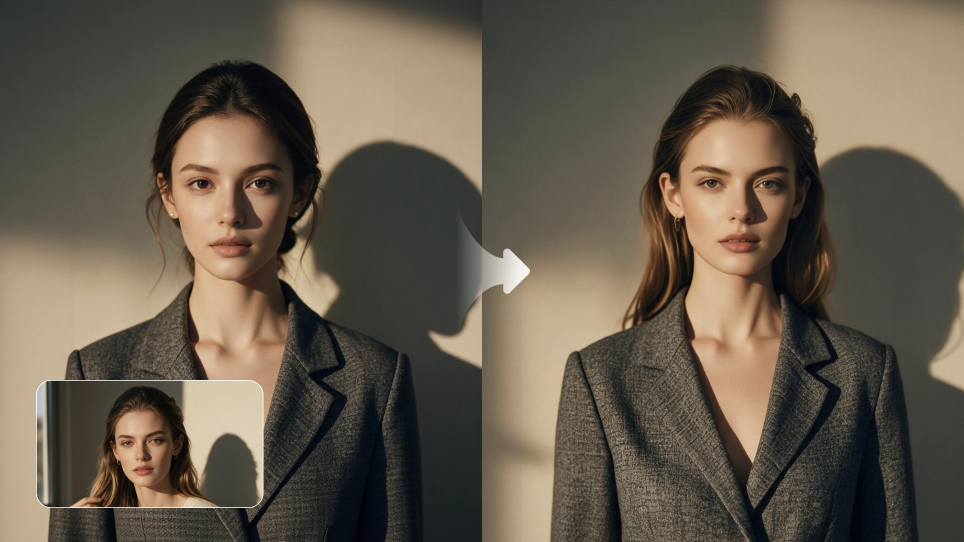
AI face swaps used to be mostly for fun on TikTok or Instagram, like putting your face into a movie clip just to see how it looks. These days, people are using them for much more, from testing character ideas and updating old footage to avoiding another round of reshoots or making social content faster. The best face swap AI should do more than paste one face onto another. It should keep the person looking like themselves as expressions, angles, lighting, and movement change. In this guide, we look at several popular options, what each one does well, where it can struggle, and which features actually matter, so you can find the right fit for your photos, videos, and workflow.
What is an AI face swap tool?
An AI face swap tool lets you replace one person’s face with another in a photo or video. Face swaps usually take two forms: photos and videos. They are commonly used for social media content, character testing, previsualization, video editing, marketing creative, and other visual projects.
Image Face Swap Tools
A photo face swap works with a single still image. The replacement needs to fit the original head angle, expression, and proportions while blending with the existing lighting, skin tone, texture, and composition. When these details are off, the new face can look like an added layer instead of a natural part of the image.
Video Face Swap Tools
Video face swaps are more challenging because the face has to adapt throughout the entire clip as the scene changes. A face that looks right in one frame may reveal problems when the person turns, speaks, changes expression, or moves through different lighting.
As the camera and subject move, the swapped face needs to follow those changes without flickering, unnatural movement, or noticeable shifts between frames.
How to Select the Best Face Swap AI Tool
Photo and video face swaps solve different problems, so the features you compare will depend on the type of content you want to create.
What to Look for in an Image Face Swap Tool
The main challenge in photo face swaps is whether the new face can be integrated into the original picture seamlessly.
What to Compare | Why It Matters |
Facial likeness | Recognizable details such as the eyes, nose, mouth, and face shape should remain clear instead of becoming blurred, distorted, or unlike the person in the reference image. |
Lighting and skin match | Skin tone, highlights, shadows, and overall color should work with the original image rather than making the new face stand out. |
Angle handling | Front-facing portraits are usually easier. Side views, three-quarter angles, tilted heads, and shots from above or below reveal how well a tool handles different positions. |
Occlusion handling | Hair, glasses, hands, hats, or other objects covering parts of the face should not create broken edges, missing features, or obvious flaws. |
Editing flexibility | Changing an expression, hairstyle, framing, or small details should not require rebuilding the entire image. |
What to Look for in a Video Face Swap Tool
With video, the challenge is not just getting one good frame. It is whether the face still works once the person starts moving.
What to Compare | Why It Matters |
Reference support | Multiple character references from different angles can provide more information about the person’s appearance, especially when the subject turns or appears from less common viewpoints. |
Frame stability | Facial details should not flicker, drift, or noticeably change as the video plays. |
Movement handling | Turning, walking, speaking, blinking, and changing expressions should not cause the face to shift out of place or lose its original appearance. |
Camera movement handling | Pans, zooms, close-ups, and changing perspectives can reveal issues that are easy to miss in a still frame. |
Scene adaptation | The face should continue to fit as lighting, background, distance, or composition changes throughout the clip. |
One Standard That Applies to Both Images and Videos
No matter the format, image rights and responsible use matter. A face swap process should rely on authorized materials and avoid misleading content or using someone’s identity without permission.
Best AI Face Swap Tools for Videos and Images in 2026
Not all face swap tools are made for the same kind of project. Some are better for quick social edits and some give creators more control when a character needs to appear in new scenes, styles or different shots.
We looked at popular options, how well they fit, what they do well, and what to consider before you choose one.
Best AI Face Swap Tools for Images
Tool | Positioning | Best For | Ideal Users |
Kling IMAGE 3.0 & IMAGE 3.0 Omni | AI image generation and editing with multi-reference control | Face swaps, portrait edits, character consistency, and visual series | Creators, designers, and marketers working across single images and connected visuals |
OpenArt AI Face Swap | AI creation platform with dedicated face swap features | Quick photo swaps and casual image edits | Social users and creators needing fast edits |
Pixlr AI Face Swap | Browser-based AI photo editor with a dedicated face swap tool | Quick photo face swaps and everyday image editing | Social creators, casual users, and online photo editors |
Adobe Firefly | Professional generative design tool | Commercial image editing and branded content | Designers and marketing teams |
Dreamina | Consumer-focused AI creation platform | AI images and social content | Casual creators and social media users |
Best AI Face Swap Tools for Videos
Tool | Positioning | Best For | Ideal Users |
Kling VIDEO 3.0 Omni | Multimodal AI video creation with advanced reference control, character consistency, and multi-shot storytelling | Consistent character videos, AI face swaps, cinematic scenes, and multi-shot storytelling | Content creators, filmmakers, marketers, and short-form video teams |
Runway | AI video generation and creative editing platform | AI video creation, editing, and cinematic experimentation | Filmmakers, agencies, and production teams |
Higgsfield | AI video creation with cinematic controls | Stylized videos, camera-driven shots, and commercial content | Creators, marketers, and social media teams |
Hailuo AI | AI video generation platform | Text-to-video and image-to-video creation | Creators exploring AI-generated video |
Vidu | AI video generation with reference workflows | Character-driven video creation and visual transformations | AI video creators and visual storytellers |
Kling AI is designed not only for replacing faces, but for creating consistent characters that can continue across images, videos, scenes, and stories.
What AI Face Swap Tool Should You Pick?
The right one will depend on what you want to make.
For a quick photo edit or social post, simple face swap apps may be enough. If you want to place the same character into different scenes, adjust the style, or build a longer visual sequence, reference-based workflows offer more flexibility.
For images, Kling IMAGE 3.0 is better suited to creative photo workflows where the character needs to appear in different visual settings. For video, Kling VIDEO 3.0 Omni is designed for more involved projects where a character needs to carry through changing scenes, angles, and shots.
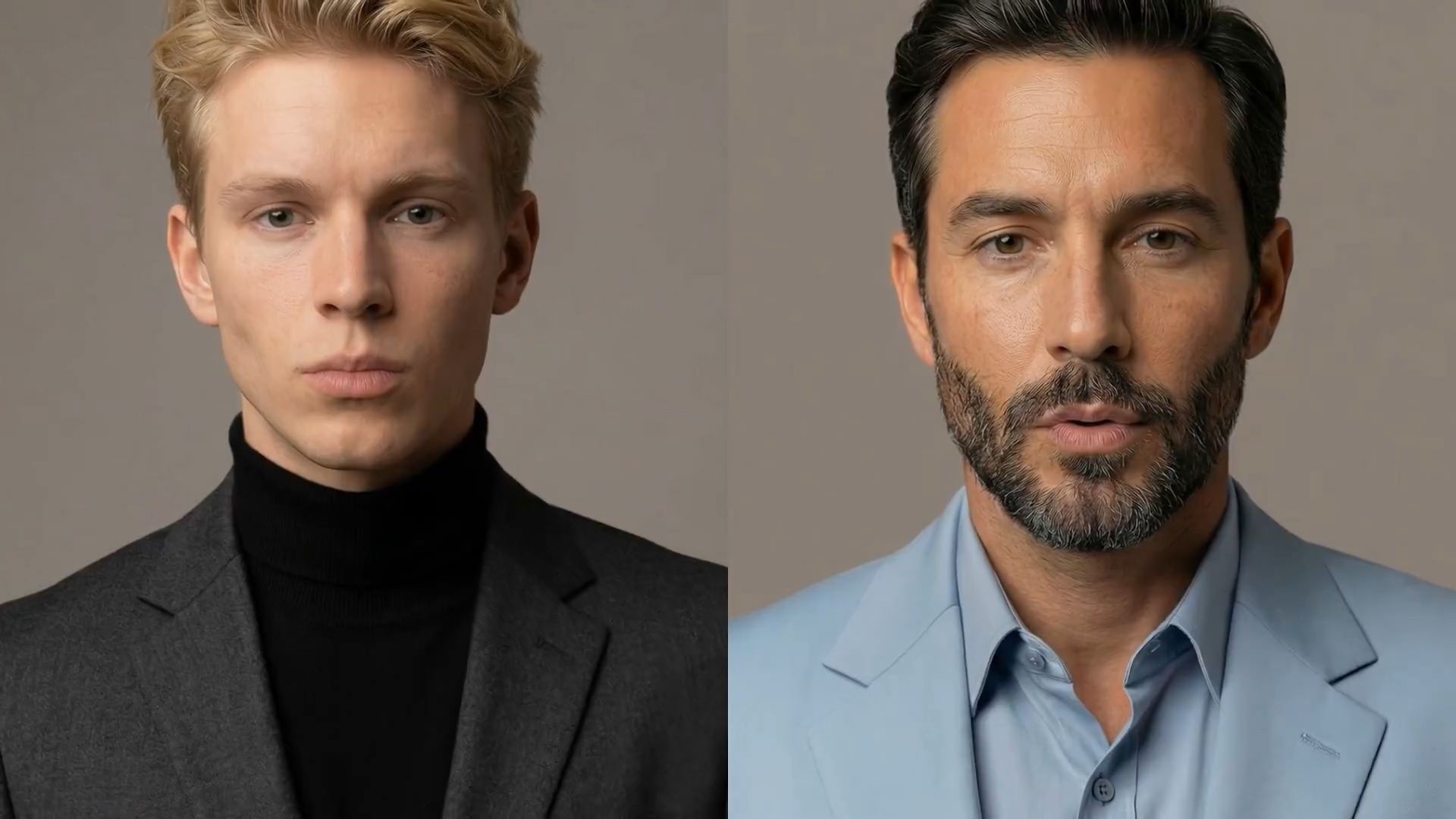

From Precise Image Editing to Creative Visual Stories
For photo face swaps and detailed image edits, Kling IMAGE 3.0 provides more control over the final image. With support for up to 10 reference images, it can understand key facial details, important visual elements, and overall style from multiple inputs.
This makes it easier to refine facial features, adjust specific details, and create new image versions while keeping the original look and feel. It is suitable for portrait edits, character adjustments, campaign visuals, and other projects where accuracy and detail matter.
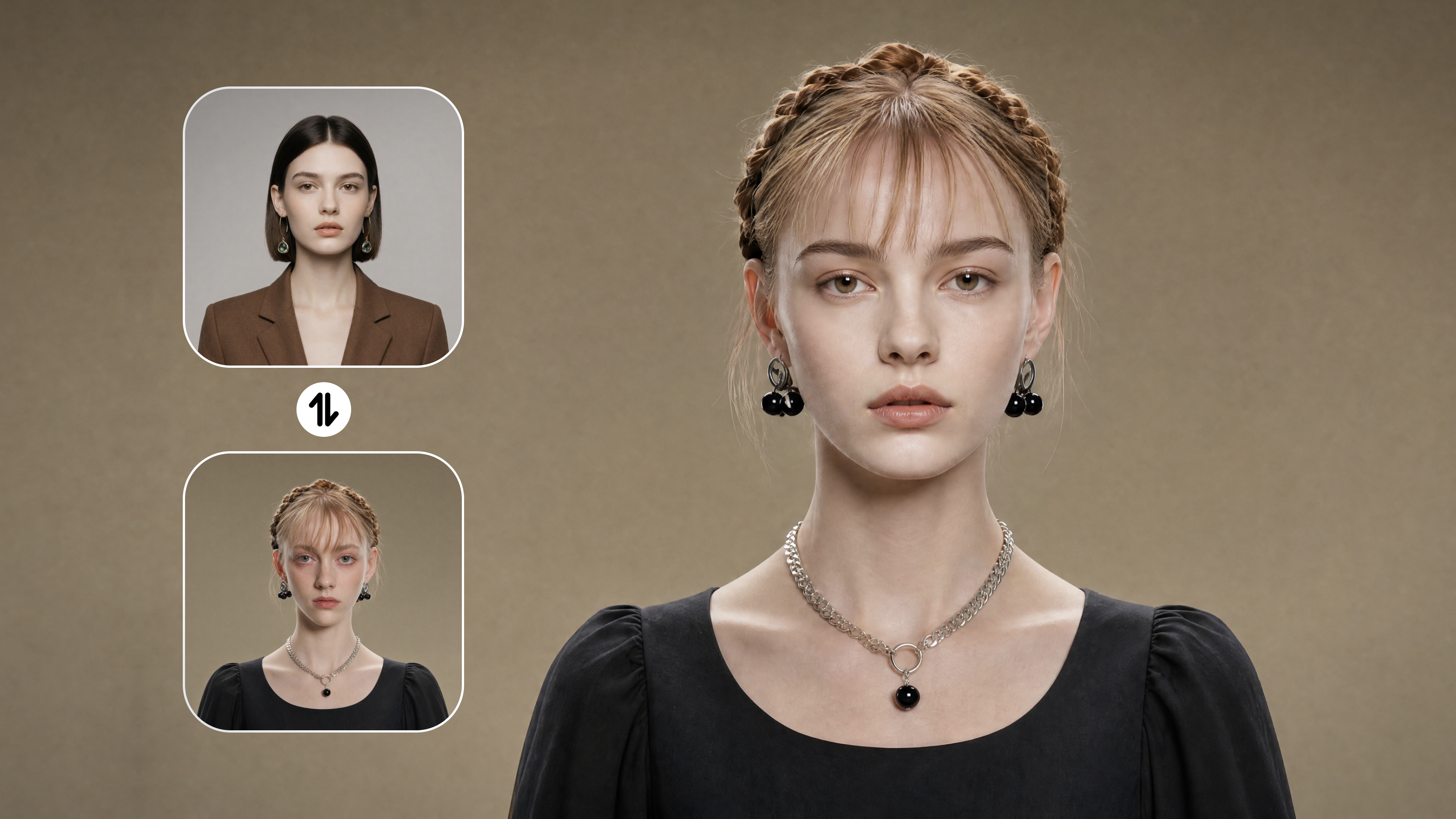
For projects that go beyond a single image, Kling IMAGE 3.0 Omni helps turn one character or concept into a wider range of visual scenes. It can bring ideas into different environments, styles, and compositions, making images feel more connected and story-driven.
Whether creating a character across different settings, developing a visual series, or exploring a new concept, IMAGE 3.0 Omni provides more room to build a complete visual direction.
  |
|
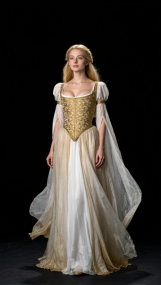
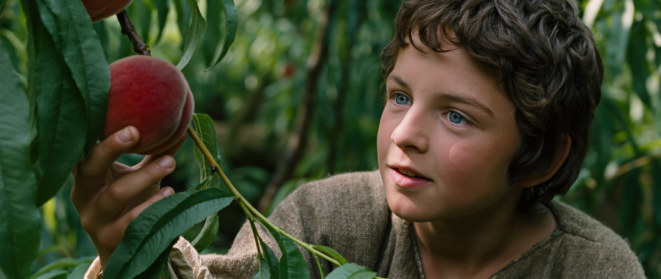
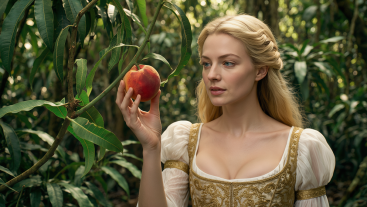
| prompt: Create a fantasy movie still based on the goddess’s look in the reference image, replicating the texture and tone of image 2. In a magical jungle, the goddess reaches for a ripe red peach, her expression focused and curious. The shot is a bird’s-eye view with a dense peach orchard, framed by branches and leaves. Soft, diffused light creates dappled shadows, with the focus on the peach and her hand, and a blurred background for a cinematic, grainy feel. | |
Bring Characters Across Different Shots and Stories
Video face swaps require more than a good-looking single frame. A face that works in one moment still needs to feel right when the subject turns, changes expression, or moves through a different shot.
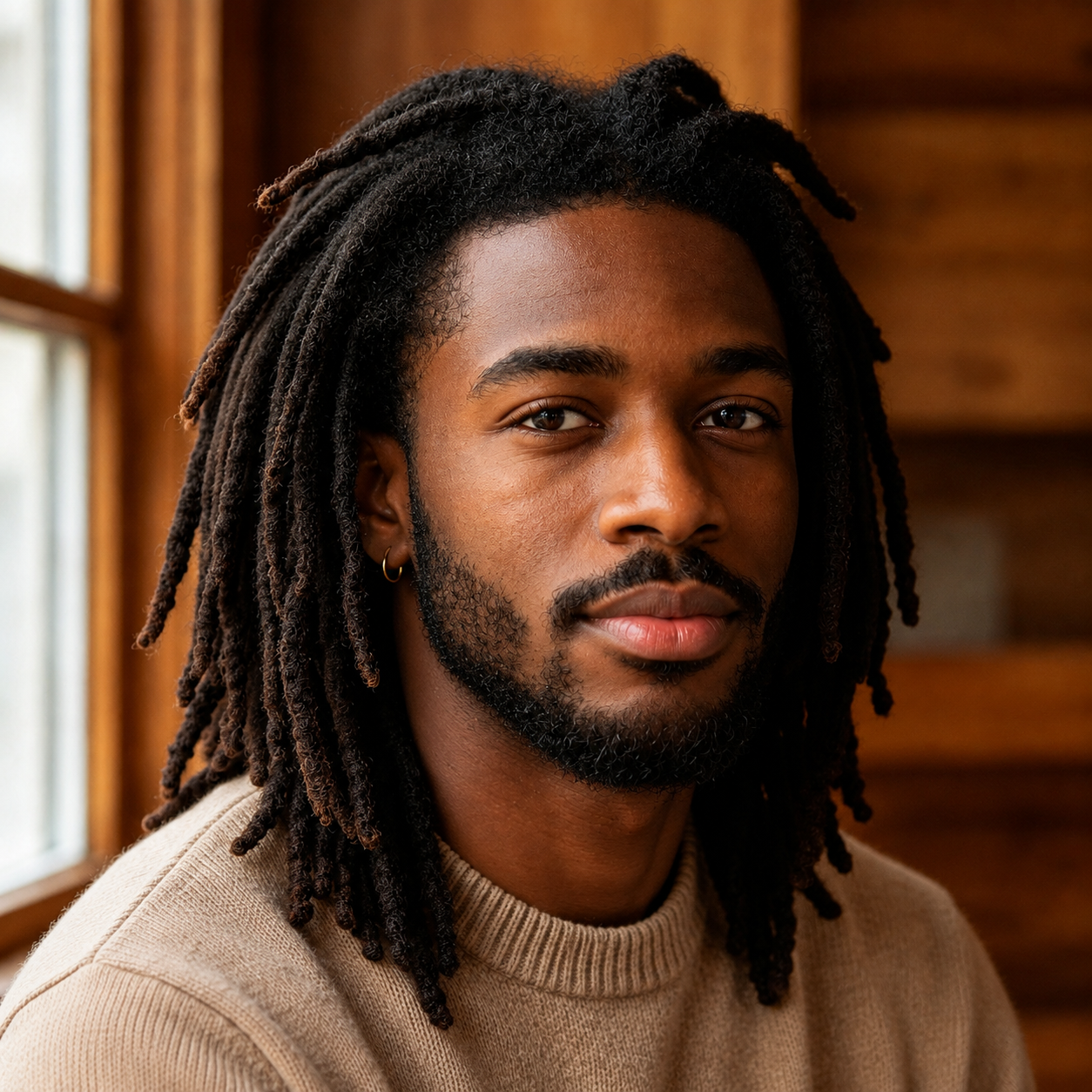
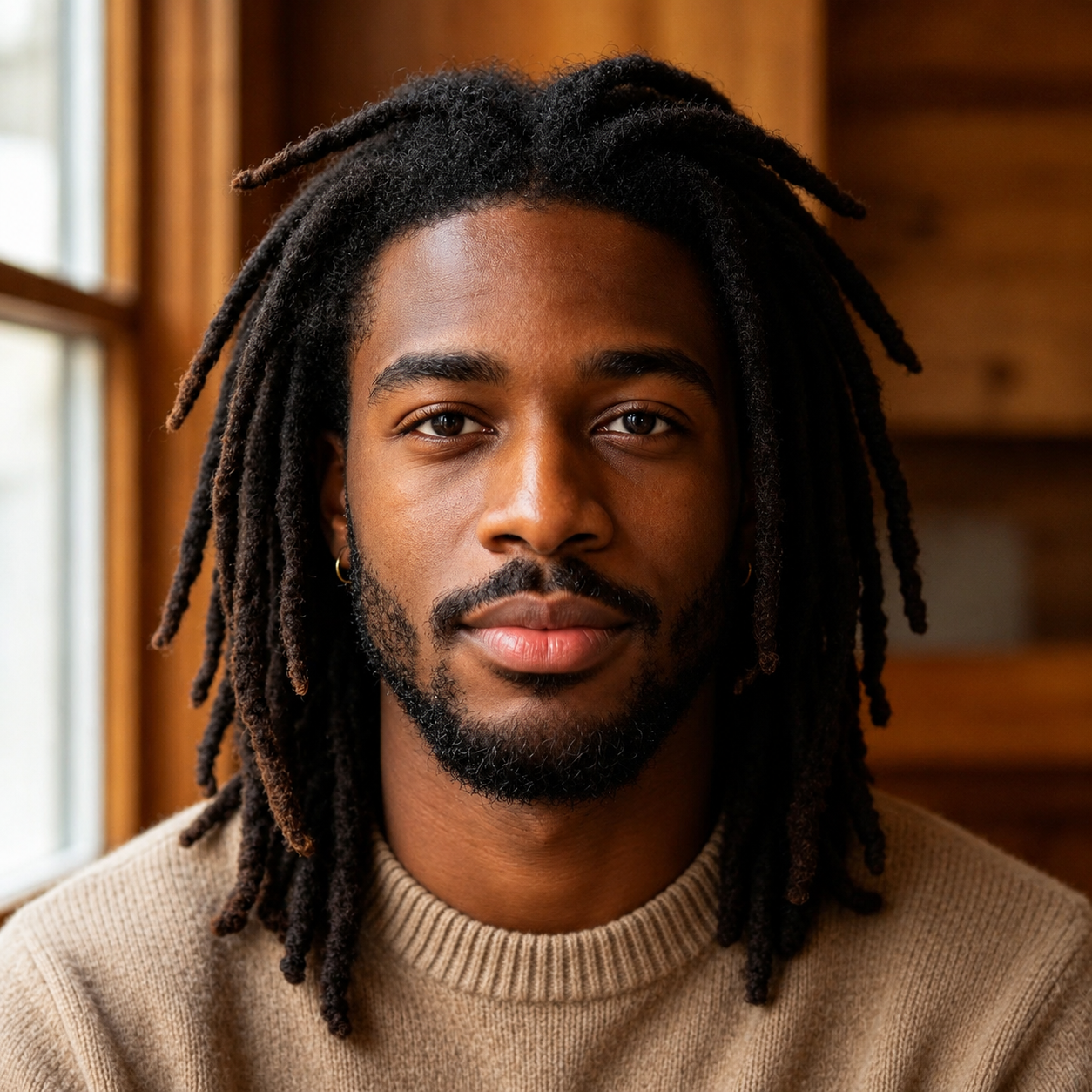
With Kling VIDEO 3.0 Omni, you can go beyond a single reference image to fully capture every detail of your subject. By incorporating multiple views or character elements, you provide the AI with richer visual context to lock in key identity traits. This ensures your character remains effortlessly consistent across changing poses, camera motions, and scene transitions—making it ideal for dynamic, multi-shot video generation.
| Elements | Prompt | |
| 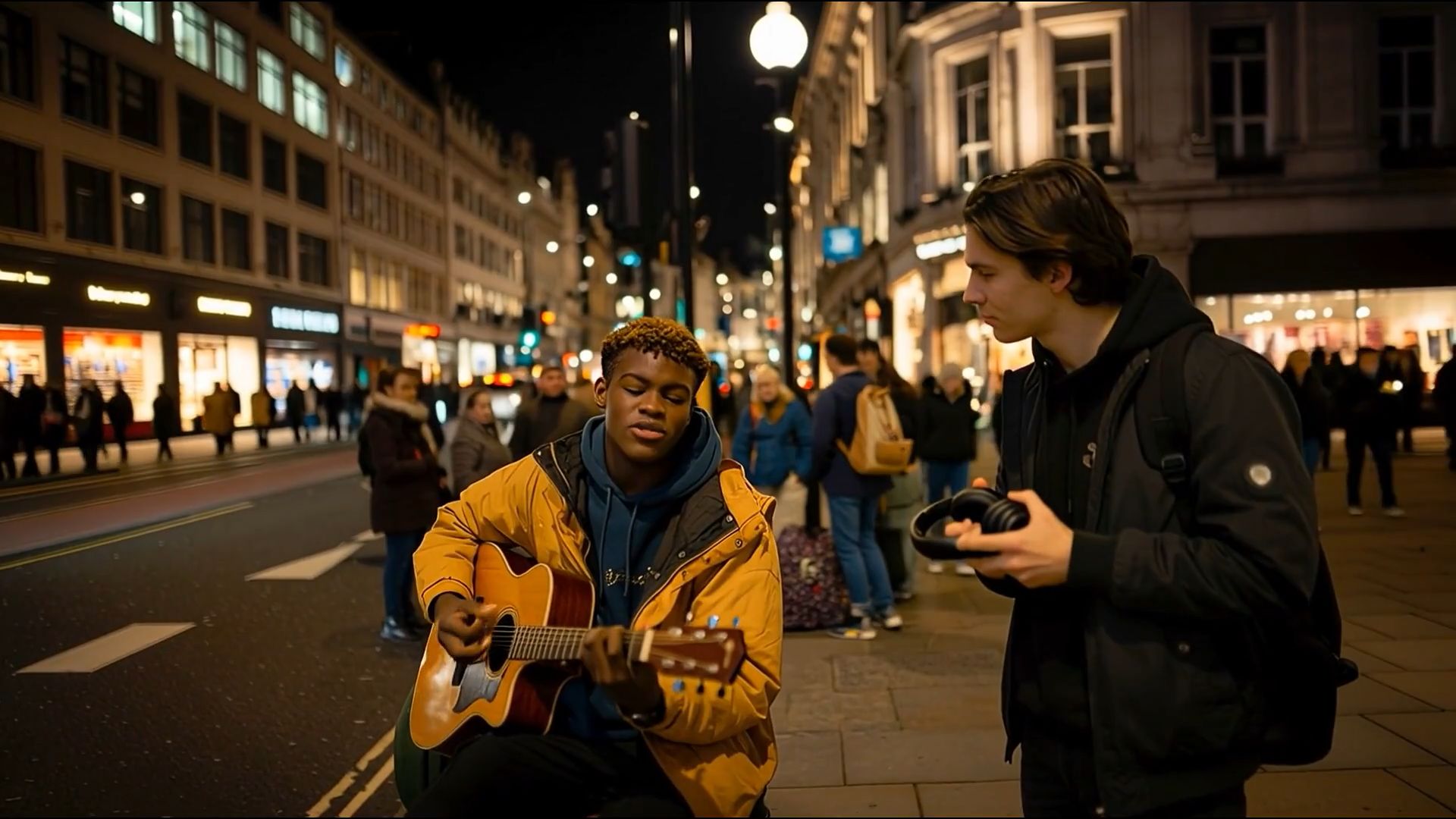
| Replace the boy playing the acoustic guitar in @Video with the face from the image reference. Keep the original clothing, expression, movements, camera motion, background, and lighting unchanged. Ensure that the facial features of the person in the image match naturally with every head turn and angle, while maintaining consistent identity throughout the entire video. |
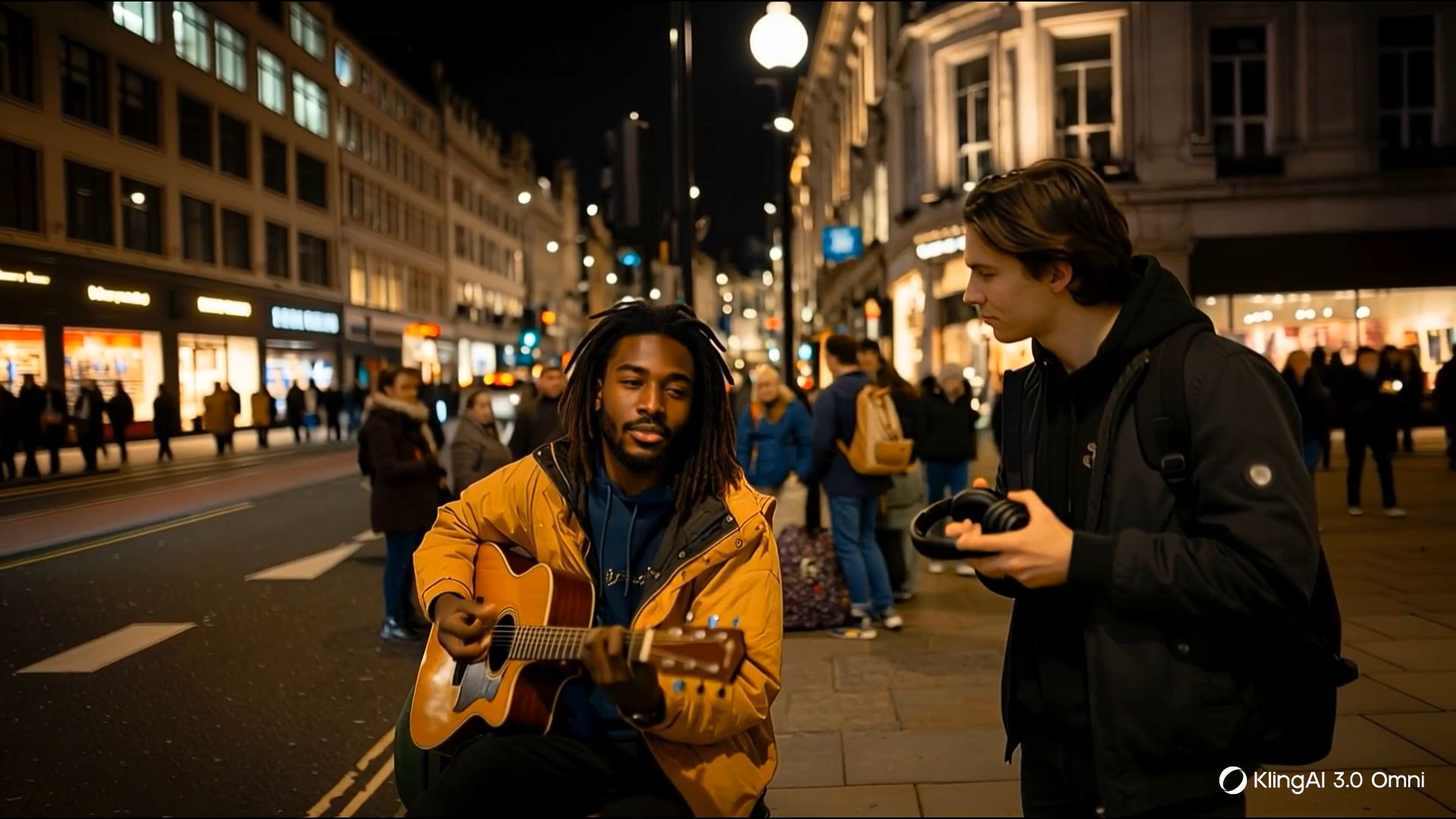
A finished face swap does not have to be the end of the process. With Kling VIDEO 3.0 Omni, the edited clip can become the base for new ideas.
After the swap, you can:
- Rework an existing clip: Keep the subject and performance, then change the setting, wardrobe, or other visual details with an AI video editor.
- Try a different look: Restyle footage you already have instead of rebuilding the scene from scratch.
- Continue into the next shot: A finished clip can become the starting point for an extended video sequence, so the idea can keep moving without resetting the whole setup.
Starting with a single portrait, an image-to-video workflow can bring the subject into motion and open the door to new scenes, actions, and visual styles. Combined with an AI video generator, face swapping can become part of a larger video creation process.
Think of it like keeping the actor while changing the set. A new scene does not always require starting from zero.
Responsible Face Swapping
A polished edit can travel far beyond the place you first post it, so it helps to think past the generation screen. Before sharing, ask three simple questions: Do I have the right to use the source material? Could viewers mistake the edit for something that really happened? Would the context change if the clip were used in an ad, campaign, or public post?
A few habits make that easier:
Keep track of where your photos, footage, and likeness references came from.
Review the final piece as a viewer would, especially if it could be mistaken for real footage.
Treat commercial work, client assets, and public-facing campaigns with extra care.
Store identifiable source files securely instead of leaving them scattered across devices or shared folders.
Check the platform’s current terms before publishing or reusing the result elsewhere.
A convincing edit is only half the job. Knowing where and how to use it matters just as much.
FAQs
What Is the Best Face Swap AI ?
The best face swap AI is the one that fits the kind of content you want to make. A quick photo edit may only need a simple app, but longer videos, multiple people, or recurring characters call for stronger continuity, cleaner results, and more room to adjust the final look.
What Makes a Face Swap Look Realistic?
A realistic face swap keeps the person recognizable while matching the original lighting, expression, and head angle. Kling VIDEO 3.0 Omni can draw from multiple visual references and Character Elements, giving it more information about a person from different views. This helps facial details hold up better through turns, changing expressions, and camera movement, especially across video shots.
Is There a Free AI Face Swap?
Some face swap features may be available without a paid plan, but the limits can vary by model, video length, resolution, and the options you use. Since credits and pricing can change, it’s best to check the official Kling membership plan for the latest details before you start.
Is AI face swapping legal?
AI face swap videos can be legal in the United States, but consent and intended use matter. Using your own footage or material you have permission to edit is generally safer, while nonconsensual intimate deepfakes can violate the federal TAKE IT DOWN Act. Deceptive or unauthorized commercial uses may raise other legal issues, so get permission when a real person’s likeness is involved.
The End
The right AI face swap tool depends on the vision behind the project. For detailed image edits, Kling IMAGE 3.0 helps refine facial features, retain key traits, and adjust specific elements while keeping the original style intact. When a simple portrait needs to become something bigger, Kling IMAGE 3.0 Omni opens up new possibilities by bringing characters into different scenes, styles, and visual narratives. For video, Kling VIDEO 3.0 Omni takes that idea into motion, allowing the same character to move through changing angles, expressions, and shots. From a single portrait to a character that moves through different worlds, the right tool can turn a simple face swap into a story worth exploring.