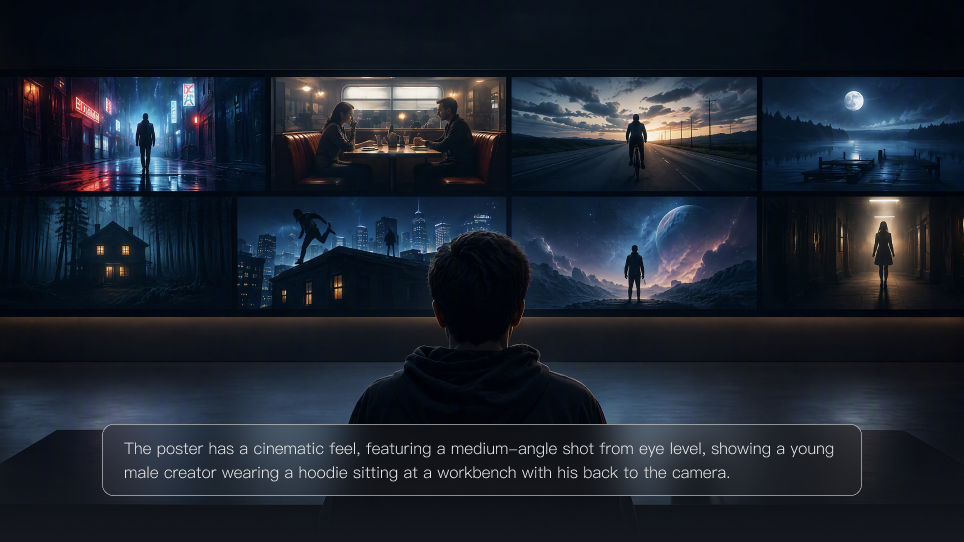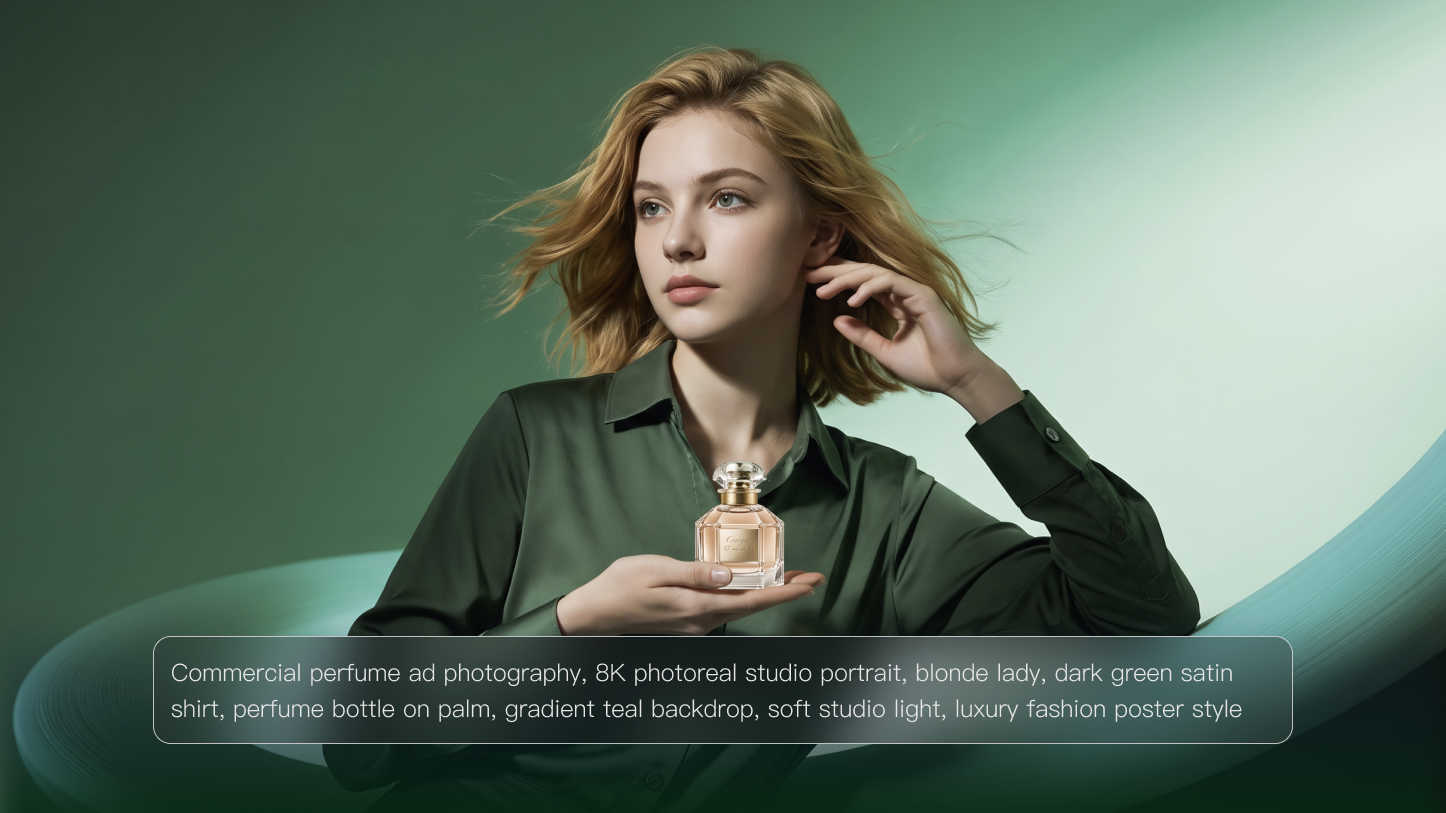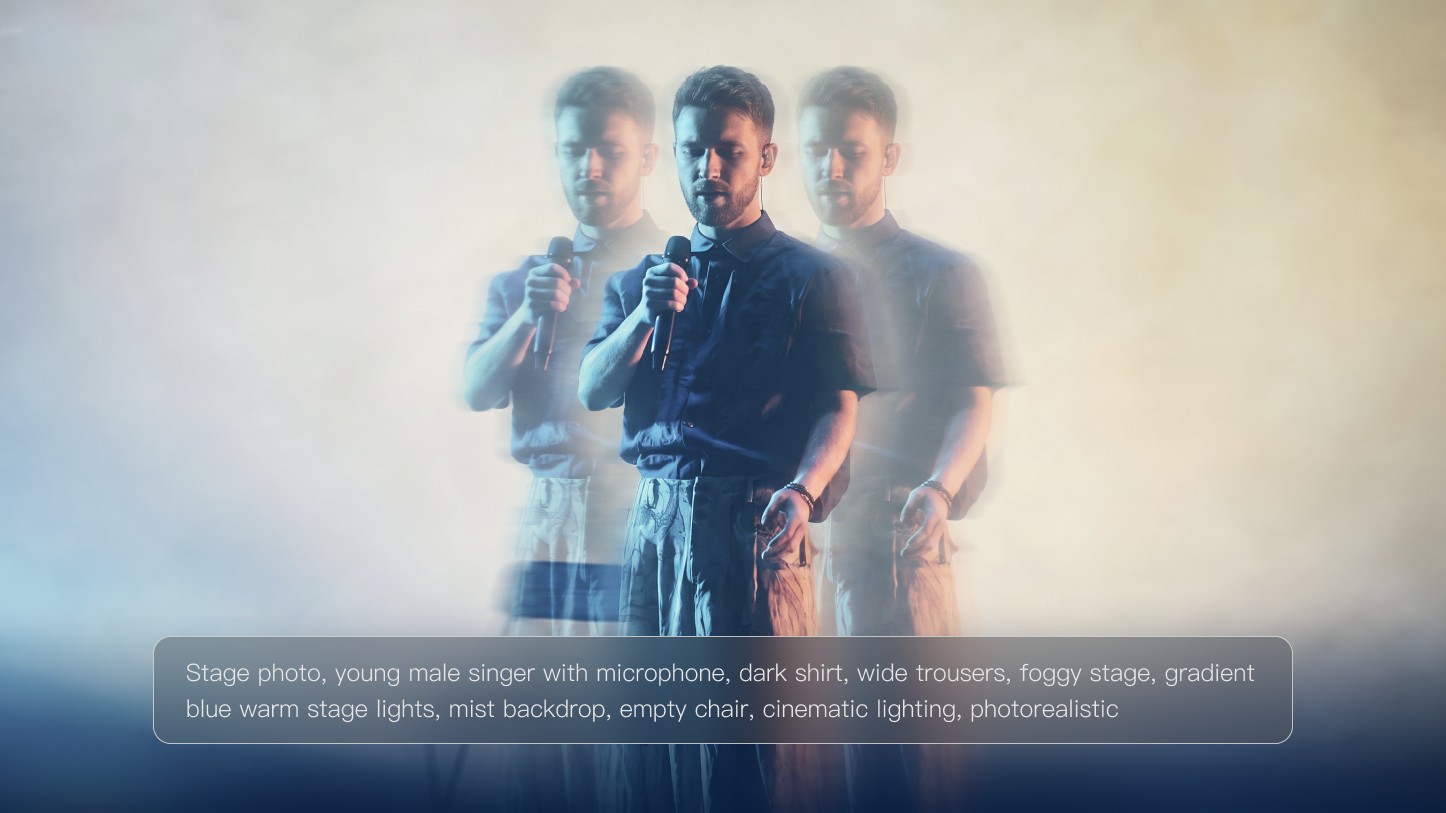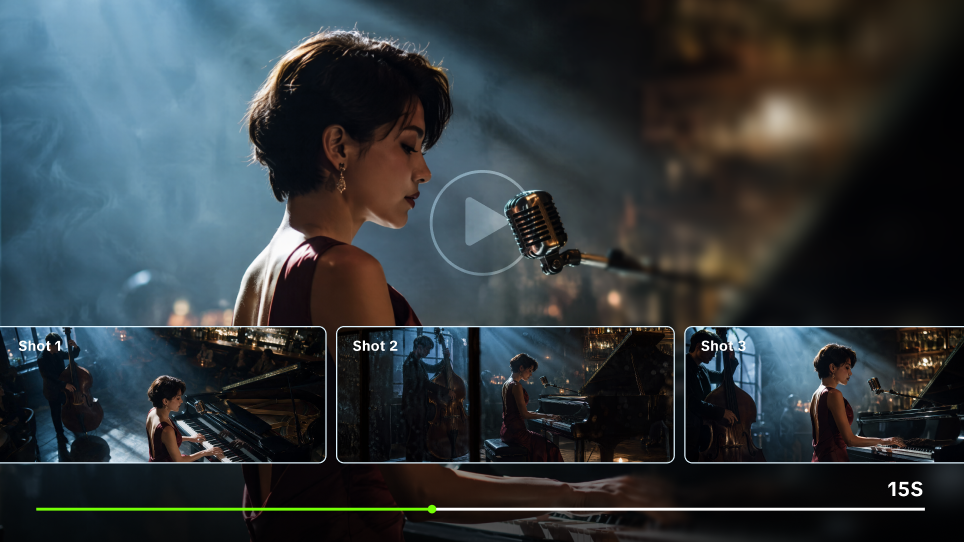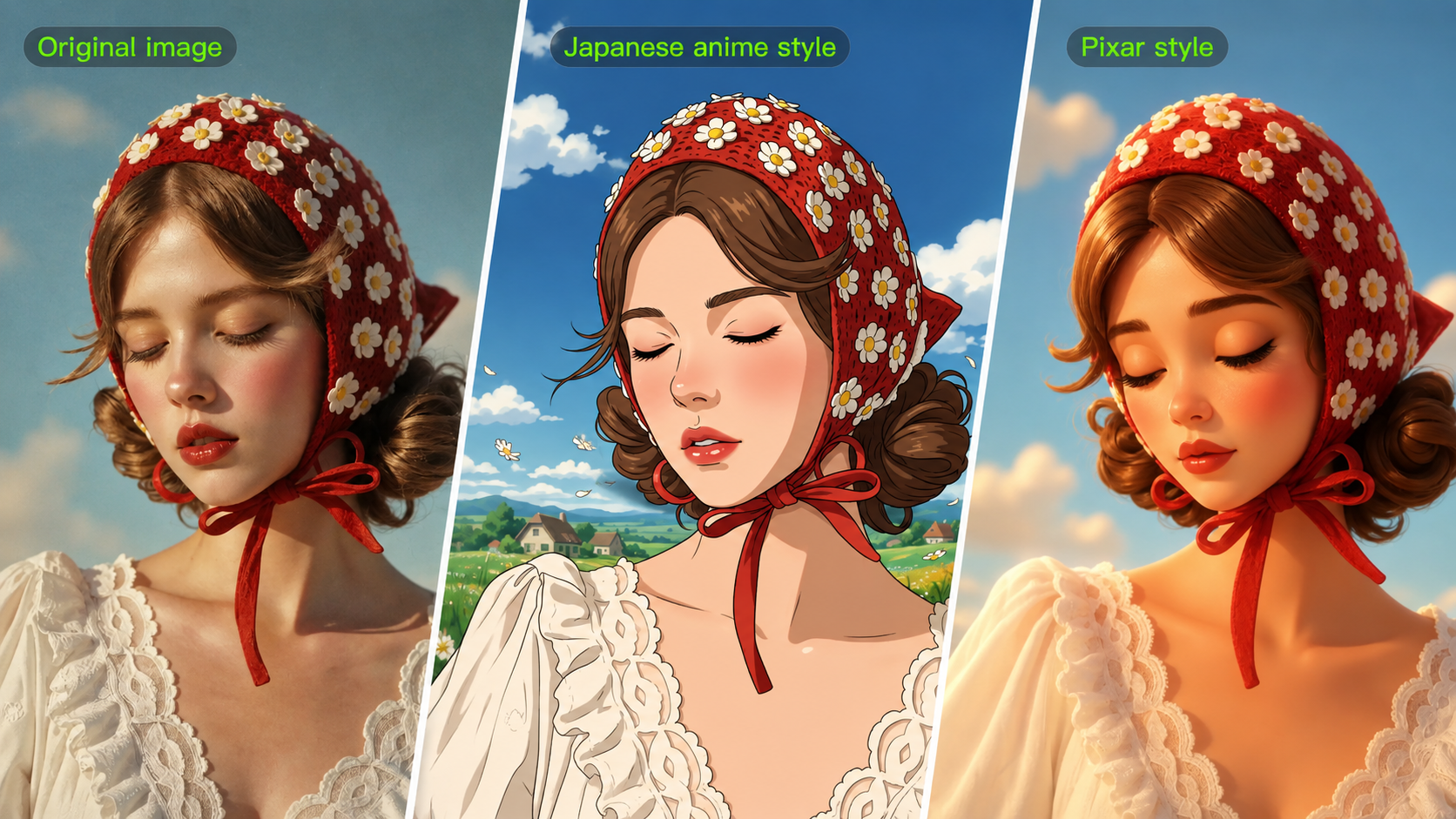
AI art styles can be used in very different ways, from social posts and posters to character concepts and personal projects. A glossy 3D treatment might suit an Instagram post, watercolor can give a shop banner a softer finish, and anime can reshape the personality of a character idea. The difference often comes from a handful of choices: brushwork, outlines, light, color, and composition. Below, we use Kling AI Image Generator to explore 30+ AI art styles, with prompts you can tweak for your own ideas.
What Are AI Art Styles?
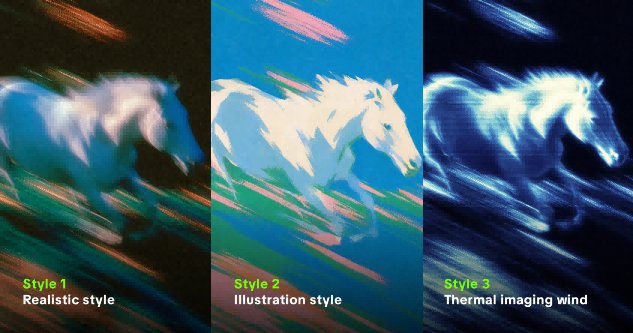
AI art styles are the visual directions that shape how a generated image looks and feels. A style can come from a traditional medium such as watercolor or charcoal, an art movement such as Impressionism or Art Deco, a digital format such as pixel art or 3D rendering, or a cinematic treatment built from camera language, lighting, color, and texture. The style does not replace the subject of a prompt; it tells the image model how to interpret and present that subject.
For creators, the useful distinction is between content and appearance. “A red fox reading beside a cabin window” describes content. “Soft watercolor washes, visible paper grain, cool dusk palette, gentle edge bleeding” describes appearance. When those two parts are clear, the result is easier to direct than a prompt that simply asks for something “artistic” or “beautiful.”
Different AI Art Styles With Prompts and Examples
With that distinction in mind, we’ve grouped 30+ styles into six groups and focused on the details that set each one apart. Within each group, the same base scene is reworked through image-to-image generation in Kling IMAGE 3.0 Omni, making it easier to compare different art styles for AI side by side and see how linework, color, texture, lighting, and composition change.
Traditional Painting and Drawing Styles
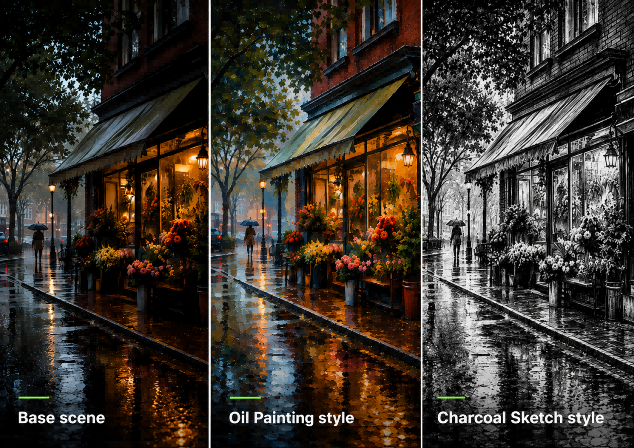
Brush marks, paper grain, pencil lines, and charcoal smudges are part of the character here. We’ve picked seven traditional looks to show how the same scene can shift when the medium changes.
- Watercolor: Color tends to feather at the edges, with the paper often showing through beneath lighter washes.
- Gouache: More opaque than watercolor, gouache leans toward flatter color and stronger shapes while still looking painted.
- Oil Painting: Layered strokes, deeper shadows, and richer highlights give the scene more weight and depth.
- Colored Pencil: Fine lines and cross-hatching bring in detail without hiding the grain of the paper underneath.
- Charcoal Sketch: Smudges, broken contours, and untouched areas of paper give charcoal its rough, sketchbook quality.
- Ink Illustration: Black lines, hatching, and strong contrast carry most of the detail, with little need for color.
- Impressionism: Edges become less precise as short brush marks, shifting color, and reflected light take over.
To see what each approach actually changes, we use the same rainy flower shop as our starting point. The subject stays put while the wording around the medium, marks, color, and surface changes. We then run each version through Kling IMAGE 3.0 Omni and place the results side by side.
Anime, Comic, and Illustration Styles
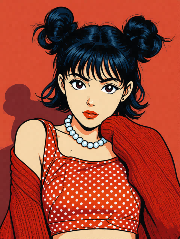
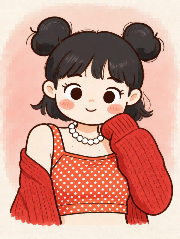
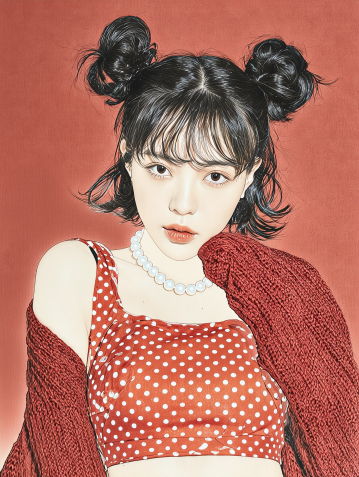
Linework, proportion, shading, and print texture carry most of the personality here. We’ve picked six illustrated directions to show how the same character scene can shift from polished anime to flatter graphic art or softer storybook imagery.
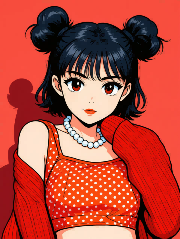
- Japanese Anime: Crisp linework, cel-style shading, and expressive features keep the character visually clear and lively.
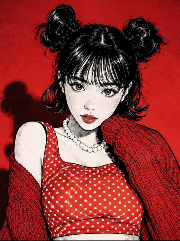
- Manga-Inspired: Black ink, stronger shadows, and sharper angles move the portrait closer to a printed manga panel.
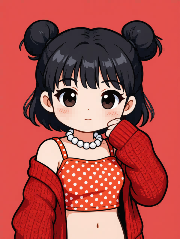
- 2D Chibi: An oversized head, compact body, and simplified features reshape the character into a cuter, exaggerated proportion.
- Vintage Comic: Heavy outlines, halftone dots, and flatter color bring in the punch of older print comics.
- Children’s Picture Book: Rounded forms and a gentler painted finish soften the portrait into something closer to a storybook page.
- Gongbi Painting: Fine linework and carefully layered color bring out small details, with a more precise and polished finish than looser brush styles.
The same red-backdrop portrait carries through every version, with the pose, double-bun hairstyle, and outfit left unchanged so the differences between anime, manga, chibi, comic, and other illustrated looks are easier to spot.
Base scene | Direction | Prompt Change | Result |
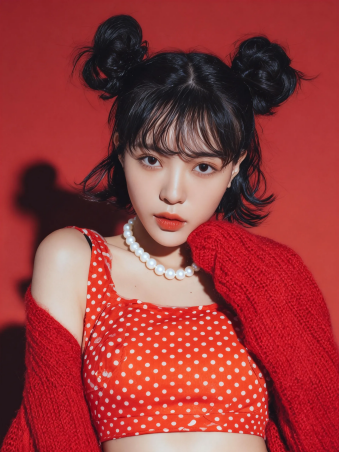
| Japanese Anime | Convert the image to [Japanese Anime] style |
|
Manga-Inspired | Convert the image to [Manga-Inspired] style |
| |
2D Chibi | Convert the image to [2D Chibi] style |
| |
Vintage Comic | Convert the image to [Vintage Comic] style |
| |
Children’s Picture Book | Convert the image to [Children’s Picture Book] style |
| |
Gongbi Painting | Convert the image to [Gongbi Painting] style |
|
Digital and 3D Styles
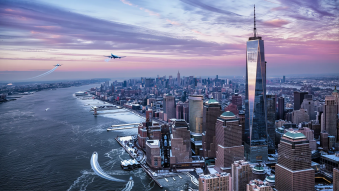
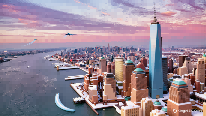
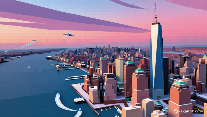
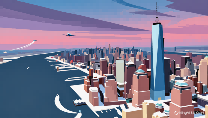
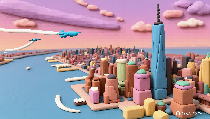
Digital and 3D treatments shift the focus toward form, material, and depth. The four directions here take the same setup from smooth and dimensional to faceted, pixelated, or molded.
- 3D Render: Materials, reflections, and shadows help the objects read as solid forms rather than flat drawings.
- Low-Poly 3D: Smooth curves give way to visible facets, making the scene feel more geometric and deliberately simplified.
- Pixel Art: The grid becomes part of the image, with hard edges and stepped color replacing smooth transitions.
- 3D Clay: Rounded shapes and a molded surface give everyday objects a softer, hand-shaped quality.
The city stays recognizable throughout, from the waterfront and high-rises to the aircraft overhead. What changes is how each treatment handles the buildings, depth, and overall surface of the scene.
Base scene | Direction | Prompt Change | Result |
 | 3D Render | Convert the image to [3D Render] style |
|
Low-Poly 3D | Convert the image to [Low-Poly 3D] style |
| |
Pixel Art | Convert the image to [Pixel Art] style |
| |
3D Clay | Convert the image to [3D Clay] style |
|
Graphic and Design Styles
Graphic design relies on how elements are arranged as much as on what appears in the frame. Geometry, ornament, color blocks, and empty space can push the same subject toward very different design traditions.
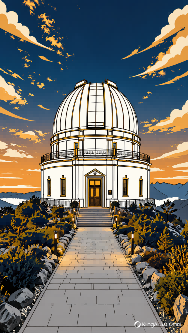
- Art Deco: Symmetry, stepped forms, and decorative geometry bring a sleek, architectural order to the composition.
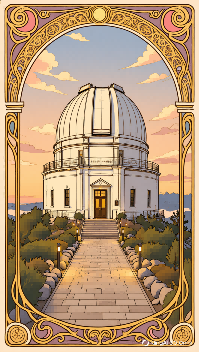
- Art Nouveau: Flowing curves, botanical motifs, and ornate borders replace harder structure with something more organic.
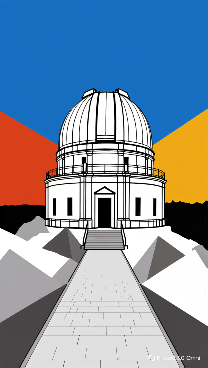
- Bauhaus: Primary colors, simple geometry, and asymmetrical grids keep the design pared back and purposeful.
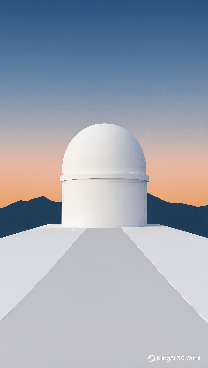
- Minimalism: Less is doing more here, with fewer objects and wider areas of open space drawing attention to the main subject.
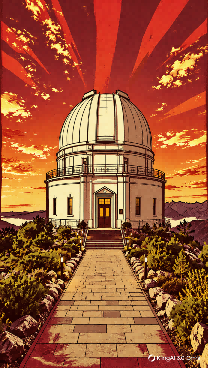
- Vintage Propaganda Poster: Bold silhouettes, a tight color range, and strong contrast give the poster a more forceful, direct presence.
For this comparison, the observatory remains the centerpiece while everything around it is reworked through a different design language. One version leans into symmetry, another into curves or open space, making the shift easy to read without changing the subject itself.
Base scene | Direction | Prompt Change | Result |
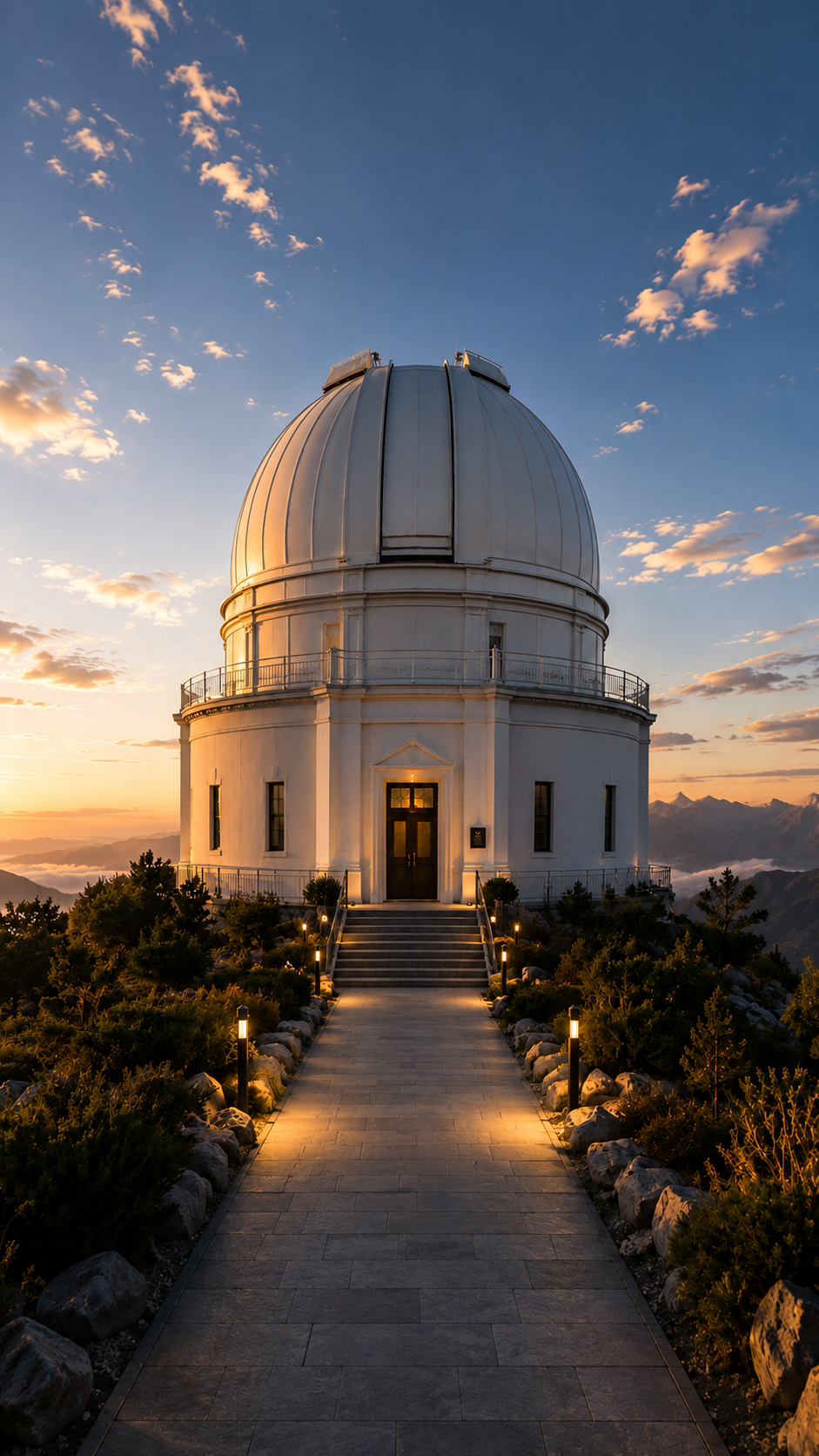
| Art Deco | Convert the image to [Art Deco] style |
|
Art Nouveau | Convert the image to [Art Nouveau] style |
| |
Bauhaus | Convert the image to [Bauhaus] style |
| |
Minimalism | Convert the image to [Minimalism] style |
| |
Vintage Propaganda Poster | Convert the image to [Vintage Propaganda Poster] style |
|
Portrait, Photography, and Cinematic Styles
This group leans on camera language rather than drawn marks. We’ve picked six directions to show how the same portrait scene can move from natural photography to editorial styling, film-inspired color, or a more dramatic movie frame.
- Photorealistic Portrait: Skin, light, depth, and surface detail stay close to what you would expect from a natural camera shot.
- High-Fashion Editorial: Styling, pose, and stronger lighting make the portrait feel more deliberate and magazine-driven.
- Movie Still: Framing, shadow, and color hint at a larger story beyond the frame.
- Film Noir: Deep contrast, moody light, and darker tonal treatment pull the scene toward classic noir.
- Kodak Portra 400 Film Look: Softer contrast and gentle color give the portrait a familiar film-stock warmth.
- Ricoh Nostalgia: Muted tones and a slightly nostalgic finish make the scene feel quieter and more reflective.
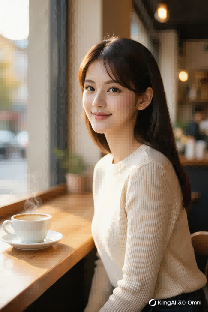
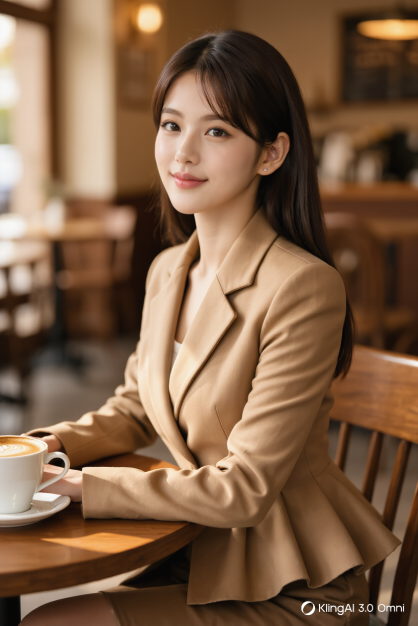
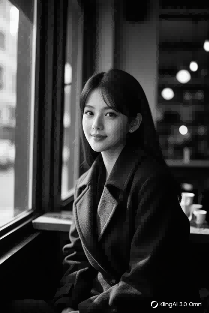
We use the same café portrait to compare different photographic looks, changing the light, framing, tone, and finish while keeping the subject familiar.
Base scene | Direction | Prompt Change | Result |
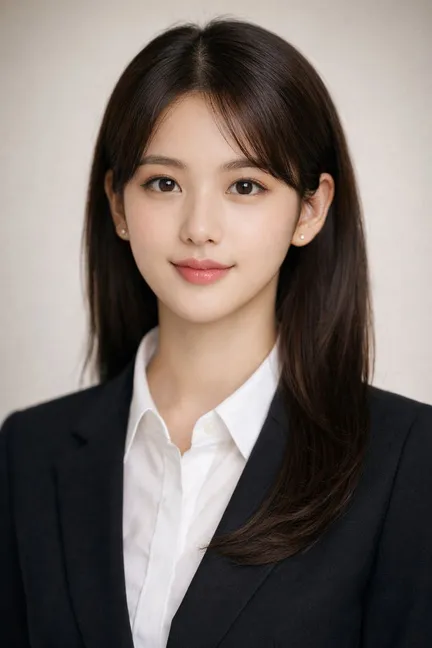
| Photorealistic Portrait | Consistent face, woman seated alone at a café table by the window, cream knit top, coffee cup, natural morning light, realistic skin texture, believable depth, photorealistic portrait. |
|
High-Fashion Editorial | Consistent face, woman seated at a café table, polished styling, structured outfit, sculpted side lighting, refined pose, clean composition, high-fashion editorial portrait. |
| |
Movie Still | Consistent face, woman alone in a quiet café, coffee cup, soft window light, cinematic framing, deeper shadows, blue-gray grade, quiet tension, movie still. | 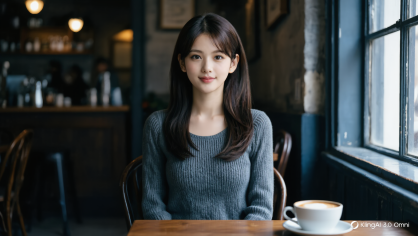 | |
Film Noir | Consistent face, woman seated in a café, strong directional light, deep black-and-white contrast, dramatic shadows, mysterious mood, film noir portrait. |
| |
Kodak Portra 400 Film Look | Consistent face, woman seated by a café window, warm daylight, soft contrast, gentle color, subtle grain, creamy highlights, Kodak Portra 400 film look. | 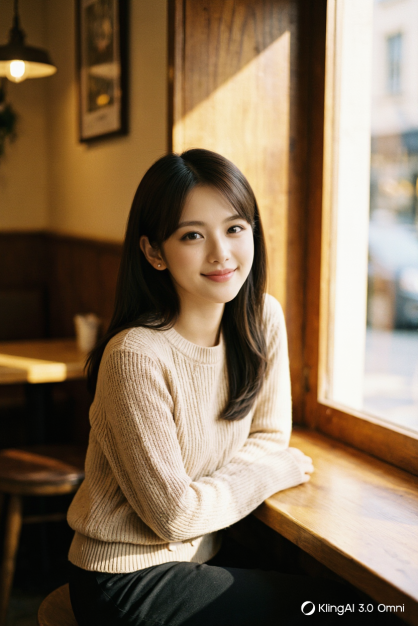 | |
Ricoh Nostalgia | Consistent face, woman seated alone in a café, muted tones, soft shadows, quiet atmosphere, subdued highlights, nostalgic finish, Ricoh Nostalgia look. | 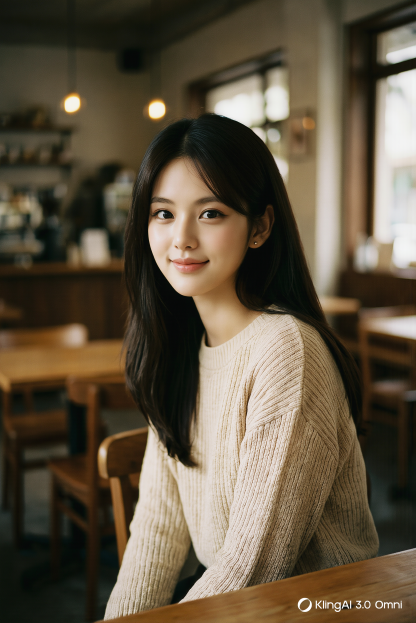 |
Futuristic, Fantasy, and Experimental Styles
These styles loosen the rules of the real world. A desert railway city can borrow from an older vision of the future, sink into neon, slip into dream logic, or grow into something far more imagined.
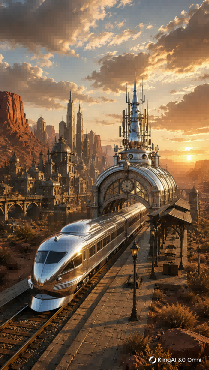
- Retro-Futurism: Chrome, rounded machinery, analog controls, and mid-century forms picture the future through an old-school lens.
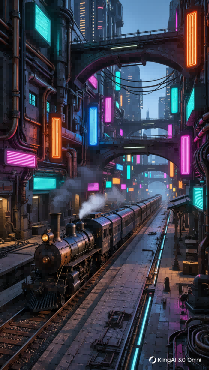
- Cyberpunk: Neon signs, exposed cables, worn surfaces, and crowded technology pack the city with grit and energy.
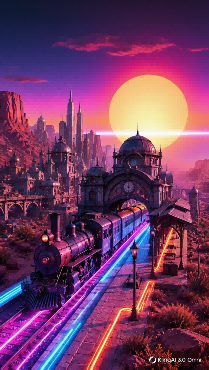
- Synthwave: Hot pink and violet skies, glowing horizons, and geometric suns give the landscape a bold retro-digital edge.
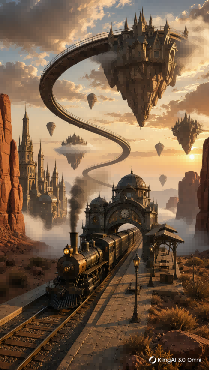
- Surrealism: Familiar buildings remain, but scale, placement, and physical logic no longer behave as expected.
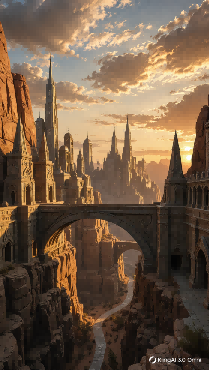
- Fantasy Concept Art: Towering structures, distant haze, and invented landmarks make the city seem like one small part of a much larger imagined world.
The railway station gives the set a common thread, but little else has to stay fixed. Across the five versions, the city shifts in era, color, scale, and even in what counts as physically possible.
Base scene | Direction | Prompt Change | Result |
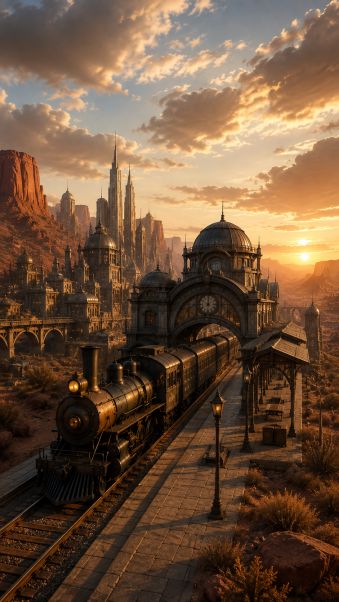 | Retro-Futurism | Rework the city with chrome towers, rounded machines, glass domes, analog controls, antennas, and mid-century visions of the future. Warm desert light and polished metal surfaces. |
|
Cyberpunk | Fill the railway city with neon signs, exposed cables, pipes, elevated walkways, worn metal, steam, and tightly packed high-rises. Magenta, cyan, and amber light against deep shadows. |
| |
Synthwave | Reduce the city to bold silhouettes, neon railway lines, geometric towers, a huge setting sun, and a glowing horizon. Saturated pink, violet, orange, and electric blue. |
| |
Surrealism | Bend the railway tracks into the sky, float buildings above the canyon, distort scale, and place towers in impossible positions while keeping the station recognizable. |
| |
Fantasy Concept Art | Turn the railway city into a vast desert kingdom with stone spires, monumental arches, suspended bridges, carved cliffs, distant citadels, and warm light through the valley. |
|
These types of art styles for AI prompts range from traditional painting and illustration to 3D, photography, graphic design, and more experimental directions. Which one fits best depends on what you want the image to communicate and which details matter most.
What You Can Do With Kling AI Art Generator
Art direction is only part of the job. The way a shot is framed, how a character carries into the next scene, and whether small details survive the process can matter just as much. Kling AI art generator brings those pieces together in one image workflow.
Tell More With a Single Frame
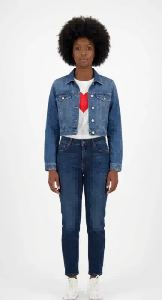
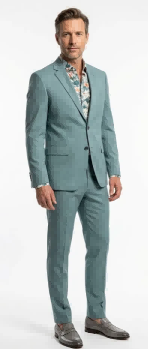
A simple character image can be the starting point for an entire story. With image-to-image AI in IMAGE 3.0 Omni, a simple base image and a text prompt can move the character into a crowded subway car, set the action, framing, light, and focus, and turn the setup into a film-like moment with tension and story.
Inputs | prompt | Outputs | |
|
| The man stands beside the woman in a close-up shot. She holds a handgun aimed at the crowd, her body slightly turned. The setting is a crowded subway car with cool white fluorescent lighting and dim shadows. The shot is over-the-shoulder, with the crowd's backs in the foreground and the woman in the background. The camera angle is eye-level, with a shallow depth of field blurring the background. The scene has a tense, cinematic feel, shot on Kodak Vision film with tones of gray and black. | 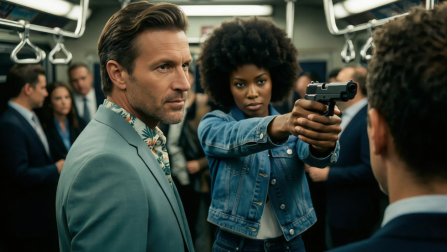
|
Carry the Story Across a Series
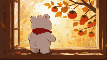
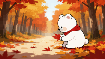
Some ideas need more than one frame. Image Series Mode can build a connected set from one or several reference images, carrying characters, settings, and the broader direction from shot to shot. That opens up room for storyboards, character sequences, campaign sets, and social content without rebuilding the setup every time.
Base scene | |||||
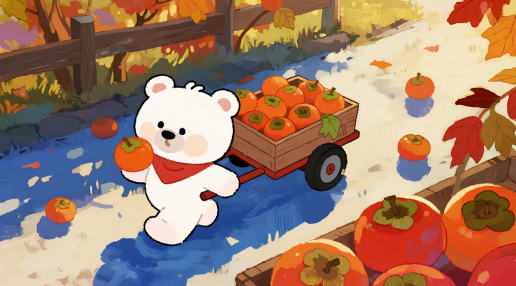 | |||||
Prompt:"Ordinary days shine through mindfulness." 5-panel storyboard. | |||||
Image Series |
|
|
|
|
|



Catch the Details That Matter
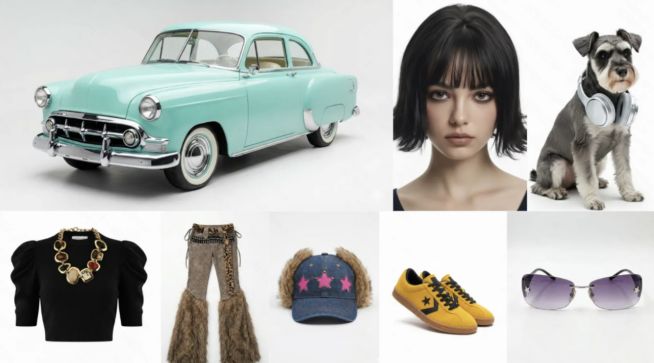
Loose strands of hair, fabric weave, skin texture, reflections, and subtle shifts in light can change how convincing a result feels. IMAGE 3.0 Omni is designed to pick up finer elements while keeping key subjects, tone, and atmosphere in step across related work. That matters when refining a portrait, trying several art directions, or working through a longer set.
Inputs | Prompt | Outputs |
| With the car from image 1 as the environmental subject, the character from image 2 is wearing the top from image 4 and the pants from image 5, with shoes from image 7 and a hat from image 8, and glasses from image 9. The character is sitting on the hood of the car from image 1, while the dog from image 3 stands at the character's feet. Generate a fashion photography shot with high-end, fashionable lighting, ensuring the image is clear and realistic. | 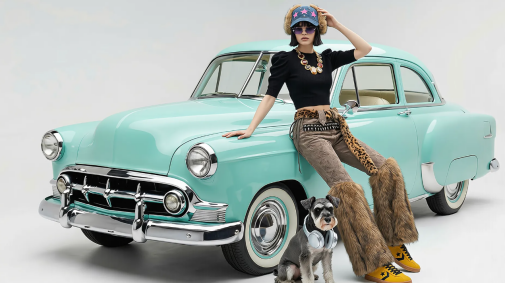 |
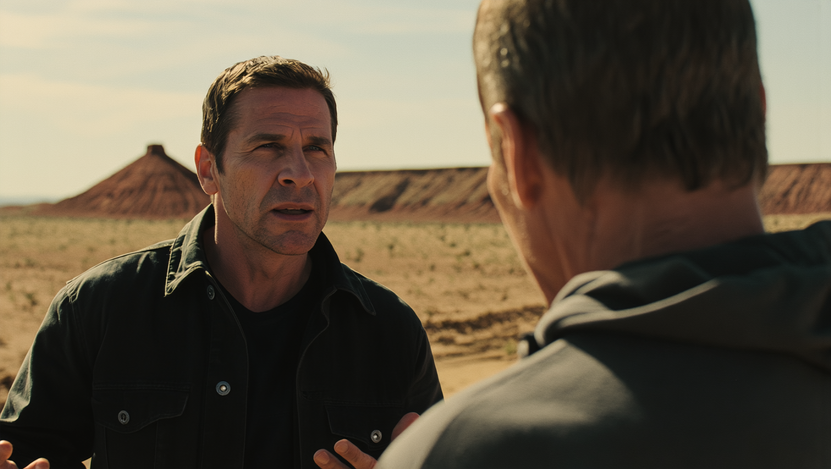
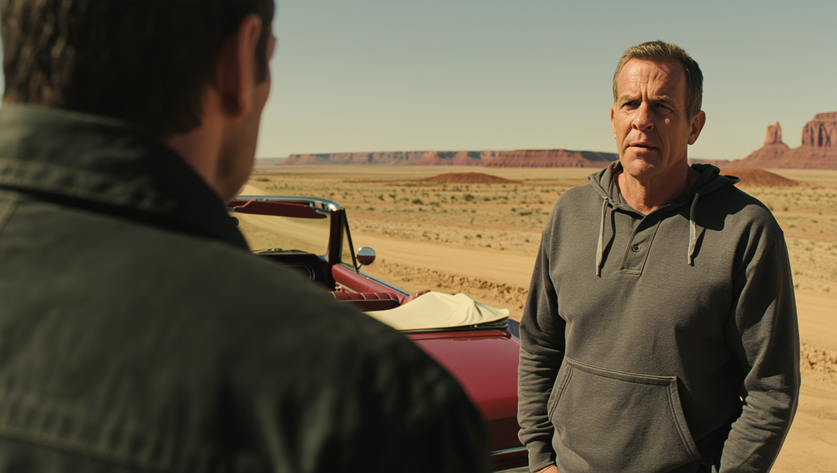
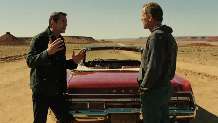
| Generate a two-person dialogue shot with reverse angles based on this image. |
|
Finish in 2K or 4K
A quick concept and a full-size poster do not need the same level of resolution. IMAGE 3.0 Omni supports direct 2K and 4K output, leaving more room for fine texture and smoother color transitions. The higher-resolution option is suited to posters, brand graphics, product visuals, concept boards, previsualization, and other work intended for larger displays.
How to Write AI Art Style Prompts
From there, different kinds of images call for different details. A list of art styles for AI prompts can point you in the right direction, but narrative scenes, cinematic shots, stylized work, and image series each need a slightly different approach. Below, we break down what matters most for each one.
For Narrative and Realistic Scenes
When the picture needs to capture a moment, describe what the subject is doing and where it is happening.
A useful structure is:
Style + subject + action + setting + details + light + mood
For example:
Film grain. Blonde curly-haired woman in a navy top, head tilted back, eyes closed, laughing. Open desert with dry brush and a modified silver bus. Natural skin and cotton texture. Harsh sunlight, double-rainbow lens flare, strong rim light. Subject placed mid-right against a blue sky and sandy yellow ground. Shallow depth of field, face in focus. Free-spirited atmosphere.
The action gives the picture its story, while the setting, light, and small surface details make the moment more specific.
For Cinematic Scenes
Film-inspired shots usually need tighter control over framing and light.
Try:
Style + subject + setting + light + composition + angle + focus + color + mood
For example:
Real cinema look. Man in a dark suit, gray shirt, and glasses at an airport, giving an alert side glance. Posters and flight screens behind him. Mixed daylight and cool interior light. Medium shot at eye level, sharp focus on the face with soft background bokeh. Cool tones, light film grain, tense atmosphere.
Here, details such as medium shot, eye level, face focus, and cool light do more work than adding extra adjectives.
For Stylized Images
Illustration and character-led work can spend less space on camera terms and more on proportions, clothing, linework, texture, and surrounding details.
A useful structure is:
Art style + subject + pose or expression + clothing + setting + mood
For example:
2D anime style. Young girl with light-brown curls and wispy bangs, large sparkling eyes and soft blush. Forest-inspired Lolita dress with white lace, vine embroidery, puffy sleeves, lace socks, brown Mary Janes, pearl necklace, and flower clips. Holding a flower basket with a shy downward smile. Blurred petals in the foreground, warm wood interior behind her, soft daylight and creamy background blur. Gentle, playful atmosphere.
The same idea can be adapted for watercolor, chibi, vintage comic, pixel art, or other AI art styles by replacing the features that define the finish.
For a Series of Images
A single frame can vary freely. A sequence usually needs a few details to carry over.
Use references for anything that should remain recognizable:
Character reference + setting reference + action + continuity details
For a story sequence:
Use Ref 1 for Character A, Ref 2 for Character B, and Ref 3 for the setting. Character A confronts Character B as the two groups meet in the courtyard. Keep their faces, clothing, and surrounding architecture recognizable across the sequence.
For portraits, posters, product shots, or other non-narrative sets, references can instead hold the character, surroundings, composition, or overall art direction together.
Keep the Wording Concrete
Terms such as beautiful, professional, or stunning leave plenty open to interpretation. Specific details are usually more useful.
- Instead of beautiful lighting, write late-afternoon sun hitting one side of the face.
- Instead of rich texture, write thick brush marks around the highlights.
- Instead of nice colors, write muted sage, cream, and dusty rose.
Faded tones, worn furniture, yellowed paper, low contrast, and warm evening light can all give the scene a more nostalgic feel.
Change Only What Needs Fixing
If the subject already works, leave it alone. If the setting feels right, keep it. Adjust the light, framing, color, texture, or art direction rather than rebuilding everything from scratch.
This is especially useful when testing different art styles on a familiar subject. Fewer changes make the differences between watercolor, anime, film noir, cyberpunk, and other directions much easier to spot.
FAQs
What Are the Different Styles of AI Art?
Many popular AI art styles draw from familiar art forms, including watercolor, oil painting, charcoal, anime, cel shading, vintage comics, Impressionism, Cubism, and Surrealism. Tools like Kling AI can read these cues in a prompt and translate them into color, linework, texture, and composition. Kling IMAGE 3.0 Omni can also turn text into images and carry an idea into a related series.
How Do You Write Anime Art Style Prompts for AI?
For anime art prompts, describe the character first, including the hairstyle, outfit, expression, pose, and setting, then add a few traits that define the finish, such as clean outlines, cel shading, expressive eyes, or a soft color palette. An AI image generator like Kling IMAGE 3.0 Omni can work with both written cues and reference images, helping keep the character and overall appearance recognizable across related images.
Can I Combine Two Art Styles in One AI Image Prompt?
Yes, you can mix two art styles in one AI image prompt. It usually works better when they are not competing for the same job. Anime can guide the character design, for instance, while watercolor handles the background, light, and color. Kling IMAGE 3.0 Omni can work from both text and reference images, giving you room to combine the two without relying on style names alone.
Final Thoughts
AI art styles can set the direction, but the final result depends just as much on the subject, composition, light, color, and texture. Kling IMAGE 3.0 Omni can read these cues from text and reference images, helping you shape the overall art direction and carry the same idea across a connected series. From there, that direction can extend into portraits, posters, storyboards, and other creative work.