Creating videos used to take weeks of planning, expensive gear, and technical know-how. No more. Text-to-video AI tools are changing all that. You can now turn your written ideas into pro-looking videos in minutes. In this tutorial, we'll guide you through the entire process, from writing your first prompt to sharing your finished masterpiece.
Why Is Text to Video AI a Big Deal?
Text-to-video AI is just what it sounds like. You type words, and the AI generates a video. Think of it as having a Hollywood studio in your pocket without the million-dollar budget and crew of hundreds.
The Magic Behind the Technology
They read your text and understand what you would want to see. They can distinguish between "a cat sleeping" and "a cat running through a field." They can create realistic worlds, animated characters, and even complex camera movements. All from simple text descriptions.
Why Everyone's Talking About It
Before text-to-video AI, making videos meant learning complicated software, buying cameras, or hiring expensive crews. Now, small business owners make marketing videos during lunch breaks. Students make presentations that wow their teachers. Content creators produce videos faster than ever.
The barriers have been eliminated. If you can write a sentence, you can make a video. That is revolutionary.
How Do You Develop the Perfect Prompt to Generate Your First Video with AI?
Your prompt is basically everything you need. It’s like the rules your AI follows. A solid prompt can get you awesome results. But if it’s a bad one, you’ll end up feeling super frustrated and starting over.
Keep It Clear and Specific
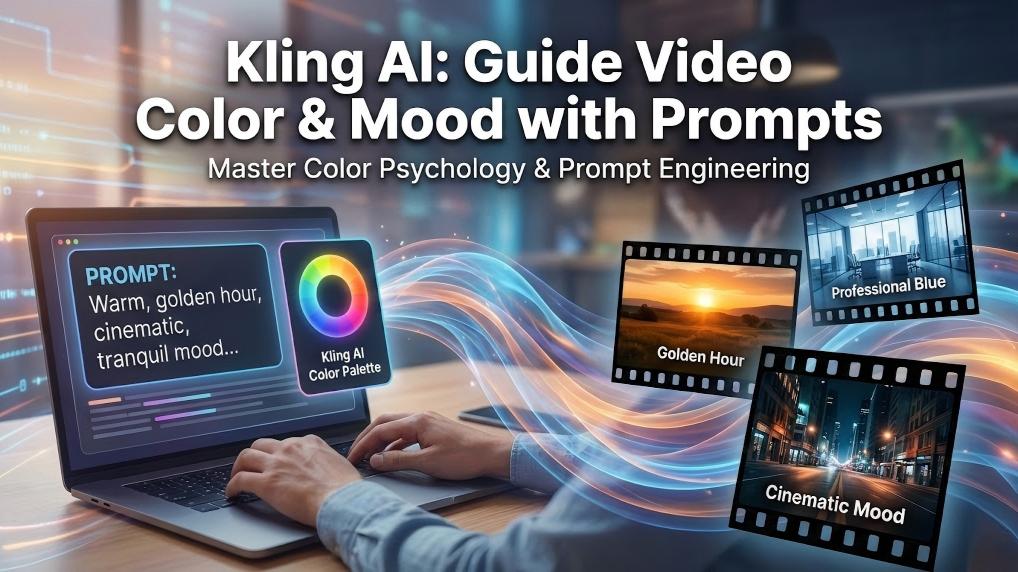
Don't simply say "create a video of dogs." Try something along the lines of "a golden retriever puppy playing fetch in a sunny park, slow motion, cinematic style." See how it's really different? The second one provides the AI with much better instructions.
Include These Key Features
So, every solid prompt needs three things.
First up, you gotta explain what's happening. "A woman running at dawn."
Then, you gotta set the scene. "On a beach with waves in the background."
And last, pick a vibe. "Filmed like a workout commercial."
Camera angles matter too. Words like "close-up," "wide shot," or "bird's eye view" help the AI frame your scenes perfectly.
Which AI Video Creator Should You Use for What You Require?
Dozens of text-to-video AI tools exist today. Each has strengths and weaknesses. Picking the right one saves time and delivers better results.
Free vs. Paid Platforms
| Aspect | Free Version | Paid Version |
| Typical use | Try it out / experiment | Ongoing projects / serious work |
| Video duration | Short / limited | Longer clips |
| Watermark | Included | Removed |
| Output quality | Basic | Higher quality |
| Stylization & controls | Limited options | More styles and controls |
| Cost | $0 | Subscription or one-time fee |
| Recommendation | Start here | Upgrade when you need more length, quality, or control |
Key Features to Consider
Seek out those with various video styles. Some are experts at realistic videos. Others do animation or stylistic videos very well. See the maximum video duration as well. Some limit you to 30 seconds, while others give you several minutes.
Easy-to-use interfaces do make a difference, particularly for new users. Top platforms make the experience seem effortless, even if the technology powering them is extremely sophisticated.
What's the Step-by-Step Video Generation Process?
Most text-to-video AI tools have the same workflows. Knowing the process makes you work more efficiently and achieve better outcomes.
Step 1: Getting Started
First, create your account and log in. Most platforms offer templates or examples to inspire you. Browse these to understand what's possible.
Step 2: Enter Your Prompt
Copy your carefully prepared prompt and paste it into the text field. Most sites let you adjust parameters like video length, aspect ratio, and motion intensity. Accept default values for your first video.
Step 3: Generate and Wait
Just press the generate button and go get a coffee. AI video generation is not exactly quick. Basic scenes can finish in a few minutes. But if you have complex prompts with a lot of action, it can take much longer.
You will notice a progress bar indicating where you are in the line on the platform. Just be careful not to refresh the page, as you may lose your place.
How Are You Able to Refine and Edit Your AI Generated Scenes?
Your first video will not be perfect. That is alright. The magic lies in the refining process.
Tweaking Your Prompts
If a scene is not to your satisfaction, rework your prompt. Give more information about lighting, camera angles, or character actions. Many times, small changes have huge effects.
Using Built-in Editing Tools
There are basic editing tools on all the websites. You can cut clips, put scenes together in order, and play around with the timing. They're not as sophisticated as the professional ones, but they're great for beginners.
Making Smooth Transitions
Good videos also flow well from one scene to another. Look for editing software that has fades, cuts, or other transitions. These small touches make your video look more professional.
Why Is Audio So Important for a Pro Final Product?
Great visuals are eye-catching. Yet sound is what keeps people watching. Don't skip this essential step.
Background Music Absolutely Sets the Tone
Happy moments need happy music. Dramatic scenes need dramatic soundtracks. A music library is typically offered by most AI video platforms. Select music that matches the pace and emotion of your video.
Adding Voiceover Narration
Your voice adds a personal touch. Record using your computer or phone microphone. Be friendly and easy to listen to. If you're camera-shy, utilize AI text-to-speech software. Recent AI voices sound surprisingly natural.
Balancing Audio Levels
Make sure that your background music and narration can be heard by viewers. Most editing programs have the ability to adjust the volume levels of each individual audio track.
How Do You Export and Share Your Very First AI Video Masterpiece?
You've created something amazing. Let the world witness.
Step 1: Choosing Export Settings
Most platforms offer various export options. Higher resolution is better quality, but a larger file. For social media, 1080p is ideal. For professional presentations, use 4K if you can.
Step 2: File Format Considerations
MP4 is your safe bet. It works everywhere – social media, websites, email, and presentations. Some platforms do offer other formats, but stick with MP4 unless you have a specific requirement.
Step 3: Awesome Places to Share
Begin with the sites you are familiar with. Upload to YouTube, Instagram, TikTok, or LinkedIn. Share it with your friends and family first. Their input makes you better for next time.
What Are the Common Errors to Avoid When Creating AI Videos?
Learning from others' mistakes saves time and frustration. Here are the biggest traps beginners fall into.
Prompt Problems
Vague prompts give disappointing outcomes. "Make it look cool" won't help the AI. Specify what "cool" means to you. Likewise, don't give extremely complex prompts that confuse the AI.
Ignoring Consistency
If your opening scene features a character wearing a blue shirt, make sure they remain blue throughout. Consistency gives your video a deliberate feel instead of a haphazard one.
Skipping the Audio Step
Silent videos simply won't do. Adding some background music takes your stuff to the next level. Don't mess up great visuals with terrible sound.
What Is the Future of Text-To-Video AI and Content Creation?
Text-to-video AI is advancing rapidly. Today's amazing results will look primitive compared to what's coming. Expect more extended videos, more realistic characters, and a better understanding of multi-step prompts. Some experts predict that AI will soon produce full movies from short text descriptions. The future of content creation is bright.
Frequently Asked Questions
Q1. How Long Does It Typically Take to Produce a Video With Text-To-Video AI Tools?
Generation time varies by video length and complexity. Simple 30-second videos are 5-15 minutes, and more complicated videos can require 30 minutes to several hours. Free services take longer since they have fewer processing resources, and paid services offer faster generation and priority access.
Q2. Can I Use AI Videos for Business Purposes Without Copyright Issues?
Most reputable sites offer commercial rights to the content you produce, but terms vary by site. Free versions usually restrict business use, while paid subscriptions typically have full commercial licensing. Always check current terms before business use.
Q3. What’s the Typical Price Range of Professional Text-To-Video AI Platforms?
Free plans offer limited basic features. Basic paid plans cost $10-30 per month, and pro plans cost $50-200+ per month with premium features. Some platforms use credit systems instead of monthly subscriptions.
Q4. Do I Need Video Editing Skills or Technical Experience to Use These Tools?
No technical experience is required. The process is to type prompts and click the generate buttons. Most sites have simple interfaces like social media. General knowledge of terms like aspect ratios is useful, but sites have tutorials for complete beginners.
Ready to Create Your First AI Video?
Text-to-video AI brings professional video creation to everyone. Start with simple prompts, experiment with different styles, and don't forget audio. Your first video might not win awards, but it will unleash incredible creative possibilities. The tech is here now. So what's the first story you're going to make? Get a text-to-video AI tool and start creating. Your audience can't wait to see what you make!