Having perfect lighting in your videos is not a function of technical controls but a function of understanding how light tells your story. Go back to any great film that has impressed you. Lighting was not arbitrary. It was carefully crafted to engender a certain response. With AI video lighting and the right prompts, you can achieve that same movie magic in your own work. If you’re choosing a platform, Kling AI combines text-to-video, image-to-video, and video extension for fast, controllable lighting iterations.
What Are the Kling Basics of AI Video Lighting Concepts?
It's your first step to making videos that not only look fantastic but feel fantastic too. Every element has a role to play in the end product.
Light Source Types
Natural light comes from the sun, moon, or fire, and then you've got artificial light, which is everything from street lamps to studio gear. In your AI video lighting prompts, these differences really matter since they give off different vibes and colors. Midday direct sunlight is about ~120,000 lux; a full moon is roughly ~0.05–0.3 lux; flame/candlelight is ~1,800–1,900 K in color temperature, so they read very differently on camera. Modern LEDs are often adjustable (typical tunable range around 2,700–6,500 K), so artificial light doesn’t have to feel cold if you set CCT and diffusion well. In Kling, describe source + CCT (“warm candlelight,” “cool skylight”) and anchor with reference frames for consistency.
Shadow Effect Functions
Shadows aren't dark places -- they're narrative aids. Deep shadows are dramatic and mysterious; soft shadows are soft and inviting. Shadow positions can cause subjects to appear heroic, villainous, or vulnerable. Kling responds well to “soft shadow,” “hard-edged silhouette,” and “noir high-contrast” phrasing.
Color Temperature Fundamentals
Warm light feels intimate and cozy to viewers. Cool light feels clinical or futuristic. In film and lighting practice, <≈3,200 K is typically treated as “warm,” 3,500–4,100 K as “neutral,” and ≥4,100–6,500 K as “cool.” Few notice color temperature consciously, but certainly feel its emotional effect. Keep prompts concise: palette → lighting → camera; Kling tends to preserve the order as a priority stack.
Why Kling-Powered Cinematic Lighting Prompts Matter
The difference between amateur video and pro-quality footage always comes down to lighting, ya know? It's absolutely important to a successful project.
Visual Impact Enhancement
Good lighting absolutely makes whatever's in your frame pop. Your colors appear more vibrant, you notice the textures better, and the overall image feels much more polished. And when you incorporate cool cinematic lighting prompts for AI videos, your footage ends up having that luxurious feel people only attribute to high-budget movies. Kling’s prompt adherence and multi-shot consistency help maintain a polished look across cuts.
Emotional Expression Amplification
Lighting addresses our emotions directly in ways we may or may not be consciously aware of. Your AI video lighting decisions can put viewers on guard, exhilarate them, soothe them, or exhilarate them without modifying a word of script. Lock mood by pairing Kling’s “motion brush” (for micro-moves) with “low-key/high-key” descriptors.
It's understood by professional creators that lighting makes professionals stand out from amateurs. If your lighting appears intentional and competently done, observers will immediately think that everything else about your work is quality, too.
How to Write Kling-Ready AI Video Lighting Prompts?
Lighting prompts that yield the desired lighting in reality require practice, but working efficiently makes it quite easy to achieve consistent results. It is at this point that most producers either hit a mark or falter in their AI video lighting work.
Step 1: Choose Core Lighting Vocabulary
Start off with simple words that computer-based systems absolutely understand. Try words such as "soft," "harsh," "warm," "cool," "bright," and "dim" – that is where you can begin. Don't worry about complicating things at this stage; simple words can be powerful if applied correctly. Slowly increase your vocabulary of AI video lighting by experimenting with new words to see how they alter your outputs. In Kling, lead with the core lighting word to set the dominant bias.
Most people's error is going right into sophisticated lighting jargon without having a solid grasp of fundamentals. Working professionals didn't begin at a sophisticated level – they developed their foundation on basic principles. Your prompts need to proceed along a similar hierarchy.
Step 2: Add Descriptive Modifiers
After you have your base term for lighting sorted out, add some modifiers to be even more precise. Rather than "bright," you could use "gently bright" or "dramatically bright." These small changes allow the AI to better understand what type of light you want and how powerful you want it to be. This is where your Cinematic prompts for AI video lighting get a lot cooler. Try “soft cinematic key,” “subtle rim glow,” or “moody, low-spill practicals” in Kling.
Modifiers are your dials. They allow you to achieve precisely the mood and level you want. "Softly lit" has a completely different effect than "harshly lit," though both use the same idea about lights. Your modifier is actually doing all the emotional legwork.
Step 3: Specify Light Source Positions
Direction is really key to lighting. "Side lighting," "backlighting," "overhead lighting," and "uplighting" all emit completely different atmospheres. You need to be concise about where your light's coming from. "Window light coming in from the left" reveals a lot more information than "natural light." Kling parses direction cleanly: “side-lit from camera left,” “backlit halo,” “top-down spotlight.”
Light direction is important because it makes a difference in mood as well as how we can see. Front lighting makes features appear flat and diminishes drama. Side lighting creates depth and dimension. Backlighting creates silhouettes or rimming effects. Each does a different type of storytelling.
Step 4: Adjust Light Intensity Levels
Vitalize your results using intensity words. "Subtle," "moderate," "intense," and "extreme" regulate how powerful your lighting effects will be. Keep in mind that subtle lighting tends to be a lot more professional- and beginner-friendly compared to dramatic effects. Pair intensity with contrast targets in Kling: “moderate key, gentle roll-off, visible shadow detail.”
Your level of intensity should be commensurate with your material's emotional requirements. A soft scene conversation requires a different level of intensity than does an action scene. Your Video Lighting AI should reinforce, not conflict with, your narrative.
Step 5: Review Prompt Logic Consistency
While finishing up your prompt, be sure all your descriptions of lighting work well together. You can't have "soft diffused light" and "harsh shadows" mingling in the same scene -- that's just disorienting. Make sure your descriptions of your AI video lighting actually create a cohesive narrative. Before final render, run a short Kling clip (5–10s) to sanity-check your logic, then extend.
It's in this consistency check that most prompts will fail. Make sure to read your whole description of lights like you're reading to a human lighting technician. If it doesn't sound quite right to a human, then it's going to fool the computer system, too.
If you use this step-by-step system, it will aid in creating prompts that will always provide you with the desired lighting effects.
How to Create Movie-Like Results with Kling?
Getting that movie-like vibe means knowing how pro filmmakers play with light to boost their stories. You can totally use those same tricks by crafting your prompts just right.
Step 1: Study Classic Film Lighting Styles
Review movies in your genre and note how they incorporate lighting. Film noir makes use of sharp contrasts and large shadows. Romantic comedies utilize soft, warm lights. Suspense movies use cold blue-hued lights and sharp shadows. An awareness of these conventions makes it possible to create Cinematic Lighting prompts for AI video that will meet viewer expectations. Translate each style into a compact Kling recipe (e.g., “noir, hard sidelight, deep shadows, venetian-blind pattern”).
Step 2: Select Appropriate Lighting Types
Select lighting that accompanies your narrative. Three-point lighting creates pro-style interviews or conversation scenes. A common starting key-to-fill ratio is about 2:1 (sometimes 3:1 for more contrast); Single-source illumination can produce intimate or puzzling atmospheres. Rim illumination isolates subjects from backgrounds dramatically. It has different applications in stories. In Kling: “three-point setup, 2:1 ratio, soft fill, subtle hair light.”
Step 3: Build Dramatic Light-Shadow Contrasts
Contrast makes lighting compelling. Strong contrast makes for drama and tension; low contrast makes things feel relaxed and solid. Make use of your AI video lighting instructions to detail how much contrast you desire. "Intense contrast between shadow and highlight" makes for drama; "soft gradient between highlight and shadow" makes things feel calmer. Add “soft highlight rolloff” to avoid clipped hotspots in Kling outputs.
Step 4: Establish Emotional Atmosphere
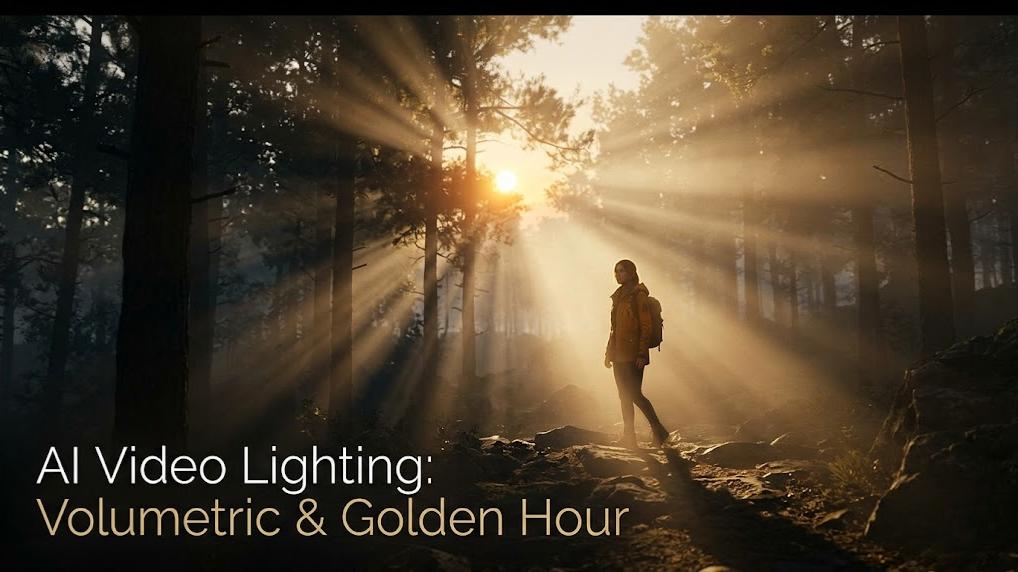
Different lights connote varying feelings. Golden-hour sunlight is roughly ~3,500 K, noon daylight ~5,500–6,000 K; a clear blue sky can reach ~10,000 K, so the CCT band you choose will directly shape the audience’s mood. Your Prompted Cinematic Lighting for AI shoot should capture not only technical but also emotional qualities. Kling accepts natural-language CCT cues; combine with color palette for stable mood.
Step 5: Optimize Visual Hierarchy Effects
Good lighting brings the viewer's eye to what's central to every shot. Bright things draw attention; dark things recede. Apply this rule to your prompts by calling out where the absolutely brightest illumination will strike. "Bright key light on the subject's face with a darker background" makes sure your main subject commands attention. Use “subject face = brightest area” in Kling to lock focus hierarchy across shots.
These steps go beyond merely "good lighting" to illumination that truly realizes your creative vision.
How to Adjust AI Video Lighting for Different Scenarios with Kling?
Different types of scenes require completely different lighting approaches. Understanding these differences helps you choose the right prompts for each situation.
Scenario Comparison Reference
Each scenario demands different technical approaches and emotional considerations. The key is matching your AI Video Lighting choices to both the practical requirements of the scene and the emotional story you're telling. Use this table as a starting point, then adjust based on your specific creative needs. Build Kling presets per scenario (interview, product, drama) so teams can reuse winning looks.
Common Issues
Even professional producers still have trouble with lighting that will ruin their finished product. What to watch out for saves time and aggravation.
Overexposure and Underexposure Issues
Light that is too intense obliterates details and makes everything appear two-dimensional. Lighting that is too subdued extinguishes valuable sight information. Begin with moderate illumination terms and change from there. Prompt “protect highlights,” “visible shadow detail,” and test short Kling clips first.
Unnatural Effect Problems
Thus, AI can create illumination that appears absolutely correct but feels all wrong. That tends to happen when you put too many opposite lighting words in a single prompt. Just keep your descriptions simple and consistent. Avoid contradictory pairs in Kling (e.g., “soft diffuse” + “razor-sharp shadows”).
Color Harmony Issues
Various light sources possess varying color temperatures, and combining these thoughtlessly results in uncomfortable color collisions. Within the same scene, try to stick to a single dominant color temperature (e.g., ~3,200 K tungsten or ~5,600 K daylight) unless you’re intentionally creating contrast and specify it clearly in Kling with one dominant CCT plus a controlled secondary practical.
Detail Loss Complications
Heavy shadows mask valuable details, while too intense a light will erase them. Employ descriptions such as "visible shadow detail" or "soft highlight rolloff" to keep detail throughout your whole image. For Kling, add “gentle roll-off, midtone richness” to preserve texture.
Figuring out how to catch and fix these problems fast makes your work way easier and your end results look way more professional.
FAQ about Kling AI Lighting Prompts
Q1: What Are the Most Beginner-Friendly AI Video Lighting Prompt Words To Start With in Kling?
Beginners can use simple things like "soft natural light," "warm golden hour," and "gentle window lighting." If you need numbers: prompt “warm light ~2,700–3,200 K; golden hour ~3,500 K; daylight ~5,600 K” to help models unify CCT. In Kling, start with 2–3 cues max, then iterate.
Q2: How Can I Make My Cinematic Lighting Prompts for AI Video Look More Natural using Kling?
Just keep it simple and consistent, you know? Go with 2-3 main lighting traits instead of making it too complicated. Use gentle words like "subtle" and "soft" instead of going overboard, and always think about where the light is actually coming from in your scene. For three-point setups, start at a 2:1 key-to-fill ratio and tweak for subject and mood. Lock direction (“from camera left/right”) in Kling to avoid drift.
Q3: Which Cinematic Lighting Prompts Work Best for Different Content Types when generated in Kling?
Interview content is most successful with "soft three-point lighting," product demonstrations require "bright even lighting," dramatic scenes respond to "moody lighting with strong shadows," and tutorial videos use "clear bright lighting" that does not distract from information. Interviews commonly keep 2:1–3:1 contrast to get clean but dimensional skin and shadows. Save these as Kling presets so teams can reuse reliably.
Ready for Pro-Level AI Video Lighting
Don't wait to upgrade your lighting skills. Just grab a lone tip in this tutorial and use it on your next vid production. You'll see how improved lighting not only changes how your video looks but how your viewers will react to it. Your viewers will totally realize the improvement even if they can't quite put their finger on why exactly it looks better. When you’re ready, standardize your prompt format for Kling (palette → lighting → camera) and build a reusable look library for consistent, cinematic results.